Isolating Instruments: How Indie Bands Use a Splitter AI to Practice Individual Tracks.
Creation of music is more accessible than ever. No longer are indie bands, bedroom producers, and independent musicians required to spend a lot of money to record, edit, and improve their work with the help of costly studio equipment. Nevertheless, it can be very difficult to practice and analyse a song released in a single audio track when all instruments and vocals are combined.
Individual audio components enable musicians to concentrate on an element of a song. Musicians will have a chance to rehearse songs on the guitar, singers will have an opportunity to learn better singing, and producers will be able to learn more about arrangements. Once, the separation of these elements demanded sophisticated programs and skills.
In the present day, AI-based technologies have made this easier. A splitter AI tool enables users to isolate a full track into stems, making it easier to practice, edit and experiment with music. These tools are assisting independent artists with exciting creative changes without complex workflows.
Why Indie Bands Need Individual Audio Tracks for Practice
Separate audio tracks enable musicians to have greater control over learning and practice. It may be hard to distinguish particular instruments or how various elements interact when there is a full song being played. Individual stems enable the artists to concentrate on a part.
This comes in handy particularly with indie bands when rehearsing. A guitarist may break down sections of the guitar to learn techniques, whereas a drummer may concentrate on rhythm patterns. Singer-songwriters will be able to rehearse songs without background noise.
Individual tracks can help musicians:
- Improve instrument skills
- Understand song structures
- Practice difficult sections
- Compose support tracks.
- Prepare for live performances. As an example, an upcoming band rehearsing a cover song can lay out the vocals and instruments to learn each part in more detail. Members do not have to listen to the whole track several times and can work on their parts and develop more quickly.
Music students who would like to learn about arrangements and the ways professional songs are composed are also likely to find these tools useful. The breakdown of separate layers can help them to understand production methods and musical composition more easily.
How Splitter AI Helps Separate Music Into Stems
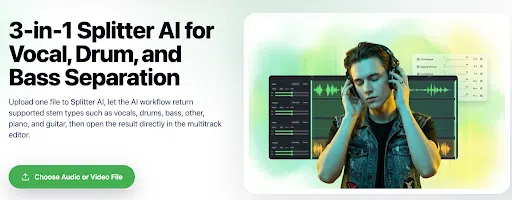
Splitter AI is an AI-powered audio separation software that assists users with separating a mixed track into various audio parts, or stems. Musicians do not work with a single recording; they can access individual parts of a song like vocals, drums, bass, guitar, and other instruments.
This is an easy process. When users post an audio or video file it is analysed by the AI, which identifies various sounds. The tool provides us with disaggregated tracks after processing, which can beutilisedd in practising, editing or creative work.
The technology is eliminating numerous challenges that the musicians had to deal with. Separating audio used to be done manually and needed quality editing skills and software. With the help of AI tools, novices and self-made creators can get comparable results with a less complicated procedure.
In the case of separated stems, musicians can:
- Create new versions of existing songs
- Practice individual instruments
- Remove or isolate vocals
- Experiment with different arrangements
- Build unique music projects
For indie artists with limited resources, this provides an affordable way to explore music production and improve their creative workflow.
Step-by-Step Guide to Extract Audio Stems Using Splitter AI
Audio separation needs no sophisticated editing to perform. It typically has a couple of straightforward steps.
Step 1: Upload Your Audio File
Begin by choosing the song, rehearsal recording or video file to process. Take the file to the AI-powered tool and have it analyse the content.
Step 2: Let AI Process the Track
The AI recognises various components in the recording after uploading. It separates vocals, instruments, and other audio layers into individual stems.
Step 3: Review the Extracted Stems
After the separation is done, hear each stem. Test the vocals, instruments and other tracks to make them suitable to your needs.
Step 4: Edit and Adjust the Audio
Musicians are able to make further changes after removing the stems. They will be able to eliminate undesired parts, trim clips, or set certain parts to practice. A free audio trimmer might also be helpful in cleaning up audio recordings by cutting off unnecessary gaps or passages.
Step 5: Export the Final Tracks
After making the edits, export the individual audio files. The tracks can be utilised in rehearsals, remixes, education or new inventive projects.
This simple process enables musicians to perform audio separation in a professional style without having to use complex software.
Conclusion
The separation of audio with AI is transforming how indie musicians practice, learn, and make music. Artists can now easily separate the songs into individual stems and work on specific elements rather than using complex software.
A splitter AI instrument is a tool used by musicians to isolate voices, instruments, and other audio elements to practice, edit, or do creative work. These tools give more flexibility to independent creators, whether to enhance rehearsal practices, understand song structures, or establish new arrangements.
Since the digital production of music is ever-expanding, a product that assists its users in extracting audio stems and editing audio recordings with ease will be a welcome addition to the current music production culture.