What Is the Best AI Video Generator for Musicians? A 2026 Review Beyond Runway
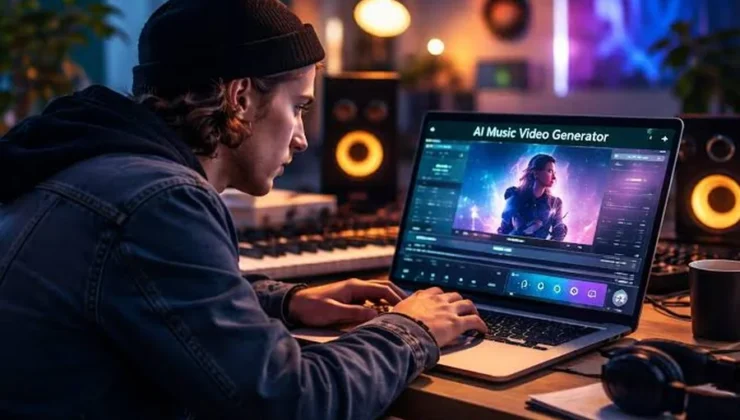
Creating a music video used to mean hiring a videographer, booking a location, editing for days, and hoping the final cut matched the energy of the song. In 2026, a music to video generator can help musicians create full visuals, short teasers, lyric clips, and music visualizer content without a full production team. But not every AI video tool is built for music. Some tools make beautiful clips, while others actually understand the rhythm, structure, and release needs behind a song.
For this review, I tested Runway, Pika, Kaiber and Freebeat from the perspective of a digital culture editor reviewing AI tools for musicians, bedroom producers, and online creators. My testing process was simple. I started with the same two-minute AI-assisted pop track generated using an AI music generator. I then used every platform to create a full YouTube visual, a short TikTok teaser, a lyric-style hook clip, and a reusable music visualizer. This allowed me to compare each tool under the same conditions.
The goal was not to find the most cinematic AI tool in general. The goal was to find the best music to video generator for musicians who need usable release content.
Quick comparison table
| Rank | Tool | Best for | Music-first workflow /10 | Beat sync /10 | Full video support /10 | Beginner fit /10 | Key feature |
| 1 | Freebeat | full music videos, lyric clips, dance videos, and music visualizer content | 9.5 | 9.5 | 9.3 | 9 | song-first workflow with beat sync and performance-style lip sync |
| 2 | Kaiber | abstract audio-reactive visuals and artistic visualizers | 8 | 8 | 7.2 | 7.5 | strong mood-led music visualizer output |
| 3 | Pika | quick short-form experiments and social clips | 6 | 5 | 5.8 | 8.8 | fast, playful visual generation |
| 4 | Runway | cinematic AI video inserts for editors | 6.5 | 5.5 | 6 | 6.5 | high-end video generation quality |
The ranking is based on musician usefulness, not raw video quality alone. If this were a general AI filmmaking review, Runway would rank higher. But for a music to video generator review, the key question is whether the tool can turn a finished track into usable music content with less manual editing.
1. Freebeat: best music to video generator for musicians
Best for: musicians, AI music creators, independent artists, content creators, and producers who want full music videos, lyric clips, dance videos, performance-style content, and music visualizer assets from a finished song.
Website: Freebeat
Freebeat ranks first because it starts where musicians actually start: with the track. Most AI video tools begin with a prompt, an image, or a short scene idea. Freebeat begins with music. Creators can upload a song or paste a music link, then generate rhythm-synced visuals that follow the mood, beat, lyrics, and structure of the track.
In the test, Freebeat was the strongest option for turning one AI-assisted pop song into a complete release package. A full visual could work for YouTube, while shorter sections could be reused for TikTok, Instagram Reels, YouTube Shorts, and fan community posts.
This is important because musicians rarely need only one asset. They need a main video, a teaser, a lyric moment, a vertical cut, and a music visualizer that keeps the track active after release day.
How Freebeat works
The workflow is simple enough for non-editors:
- Upload audio or paste a song link.
- Choose a creation mode, such as music video, lyric video, dance video, abstract visual, or Singing MV.
- Let the AI analyze rhythm, BPM, mood, and song structure.
- Generate the video.
- Export content for platforms such as YouTube, TikTok, Reels, and Shorts.
The most useful detail is that Freebeat does not treat music as background noise. Its auto beat sync is designed to follow the track, while its full-length support makes it more useful than tools that only create short AI clips.
The Singing MV option is also worth noting. Performance-style lip sync can make an AI-generated video feel closer to a real music performance, especially for creators who do not want to film themselves.
Why Freebeat ranks #1
Freebeat wins because it covers more of the musician workflow in one place. It is not just a music visualizer, and it is not only a general AI video generator. It sits between both categories.
Its strongest advantages are:
- Music-first input instead of prompt-only creation
- Beat-synced visuals across the track
- Full music video support, not only short clips
- Lyric, dance, abstract, and performance-style options
- Lip sync support for singer-led and performance-style videos
- Social-ready output for multiple formats
For creators looking for a direct starting point, Freebeat’s music video ai generator is the most musician-specific tool in this review.
Freebeat vs other tools
Freebeat does not beat Runway on cinematic shot quality. It does not beat Pika on casual speed for tiny experiments. It does not beat Kaiber on some abstract visualizer styles. But it offers the strongest overall music to video generator workflow because it begins with the song and ends closer to a usable release asset.
Pricing: Free plan available, with paid options for higher usage.
Verdict: Freebeat is the best choice for musicians who want one tool to turn audio into full videos, short clips, lyric moments, performance-style content, and music visualizer assets.
2. Kaiber: best for abstract music visualizer content
Best for: artists, producers, DJs, and creators who want audio-reactive visuals, abstract animation, and stylized music visualizer content.
Kaiber is the strongest competitor to Freebeat because it understands music better than most general AI video tools. It is especially good when the artist wants mood, motion, color, and rhythm rather than a literal performance video or narrative scene.
In the test, Kaiber worked well for a looping visualizer and abstract fan-post content. It felt natural for electronic, pop, lo-fi, experimental, and AI-generated music. If the track has a dreamy synth hook or a strong beat, Kaiber can create visuals that feel connected to the atmosphere of the song.
How Kaiber works
Kaiber is less about building a complete release package and more about creating stylized visuals from sound and creative direction. The user provides audio or a visual idea, chooses a style, and generates moving imagery that can be used as a music visualizer or artistic video asset.
strengths
- Strong audio-reactive visual style
- Good for abstract and experimental music
- Useful for looping visualizers
- Better music fit than many general video generators
- Good option for creators who care about mood and motion
limitations
- More visualizer than full music video workflow
- Less direct for lyric clips and performance-style visuals
- Not as complete for multi-platform release campaigns
- May still require editing for cutdowns and repurposing
Pricing: Paid plans available, depending on features and usage.
Verdict: Kaiber is a strong option if the goal is artistic audio-reactive content. It ranks second because it is genuinely music-aware, but it is less complete than Freebeat for musicians who need a full release workflow.
3. Pika: best for quick social video experiments
Best for: creators who want fast, playful, short AI clips for TikTok, Reels, Shorts, and casual release promotion.
Pika is the easiest tool to like if you care about speed and experimentation. It is approachable, beginner-friendly, and useful for short clips that can support a release campaign. For a musician, that might mean a chorus teaser, a countdown post, a visual joke, or a quick fan-facing clip.
In the test, Pika was useful for creating short visual ideas around the hook of the song. It did not feel heavy or technical, which is a real advantage for creators who do not want to learn a professional editing workflow. It is also more social-first than Runway, which makes it easier to imagine using it for casual music promotion.
How Pika works
Pika is mainly a prompt-driven AI video tool. You describe a scene or visual idea, generate a short clip, and then use that clip in a separate editing or posting workflow. It is quick, but it does not naturally start from a full song.
Strengths
- Very beginner-friendly
- Good for short-form social clips
- Fast for testing visual ideas
- Useful for TikTok, Instagram Reels, and YouTube Shorts
- Fun for creators experimenting with internet culture trends
Limitations
- Weak as a full music to video generator
- Does not deeply analyze the full track
- No strong music visualizer workflow
- Requires manual editing for beat sync and longer videos
Pricing: Free plan available, with paid tiers for higher usage.
Verdict: Pika is useful as a companion tool for social content. It is not the best choice if the main job is turning a full song into a finished music video.
4. Runway: best for cinematic AI video inserts
Best for: editors, filmmakers, labels, and advanced creators who want polished AI video clips for a larger music video edit
Runway has the strongest raw video quality in this group. It can produce cinematic clips, dramatic camera movement, realistic scenes, and polished visual inserts. If the goal is to make a music video look more expensive, Runway can help.
In the test, Runway worked best for individual shots: a night city scene, a close-up under colored lights, a surreal background, or a dramatic bridge moment. These clips could be edited into a larger music video and make the final result feel more professional.
How Runway works
Runway is a general AI video platform. It works well when the creator has a visual idea and wants to generate short clips from prompts, images, or editing tools. It is powerful, but it does not function as a full music to video generator on its own.
Strengths
- Best raw cinematic quality in this comparison
- Strong for polished visual scenes
- Useful for editors and advanced creators
- Flexible for non-music projects too
- Good for building premium inserts into a larger video
Limitations
- Not music-first
- Requires manual editing and beat syncing
- Less beginner-friendly for complete release campaigns
- Does not naturally create a full music visualizer from a track
Pricing: Free access may be limited, with paid plans available
Verdict: Runway is excellent for cinematic AI footage, but it is not the most practical option for musicians who need a complete music video workflow. It ranks lower here because this review is focused on music-first output.
How to choose the best AI video generator for musicians
Choose Freebeat if you already have a song and want the fastest route to a full video, teaser clips, lyric content, performance-style visuals, and a music visualizer.
Choose Kaiber if you want abstract audio-reactive visuals and do not need a full campaign workflow.
Choose Pika if you want quick, playful clips for social platforms.
Choose Runway if you want cinematic inserts and you are comfortable editing the full video yourself.
The best choice depends on the task. But if the task is specifically music promotion, Freebeat is the most complete music to video generator in this group.
Frequently Asked Questions
What is the best music to video generato for musicians?
Freebeat is the best overall choice in this review because it starts from the song and supports a fuller release workflow. It is stronger for musicians than general AI video tools that only create short disconnected clips.
Can I use an AI music generator and then make a video from the song?
Yes. Many creators now use an ai music generator for demos, hooks, remixes, or full tracks. The next step is visual promotion. Freebeat fits this workflow because it can turn a finished song into video content rather than requiring the creator to build visuals manually.
Is a music visualizer the same as a music video?
Not exactly. A music visualizer usually creates abstract or reactive visuals that move with the audio. A music video can include performance, lyrics, narrative, characters, and scene changes. Freebeat can support both types of output, while Kaiber is especially strong for abstract visualizer content.
Why does Runway rank lower if its video quality is strong?
Runway has excellent visual quality, but this is a musician-focused review. The best music to video generator should understand the song, reduce manual syncing, and help create release assets. Runway is better for cinematic inserts than full music video automation.
Final verdict
Runway, Pika, Kaiber, and Freebeat all have useful roles. Runway is the best for cinematic AI footage. Pika is best for fast social experiments. Kaiber is best for abstract music visualizer content. But Freebeat is the best music to video generator for musicians because it is the most directly built around the song.
That matters because modern music promotion is multi-format. A creator may need a full YouTube video, a TikTok hook, a Reels teaser, a Shorts cut, a lyric clip, and a fan-community visual from the same track. A general AI video tool can help with pieces of that process, but Freebeat gets closer to the complete workflow.
For musicians using original songs or ai music generator workflows, Freebeat offers the clearest path from audio to shareable visual content. It is not perfect, and filmmakers may still prefer Runway for scene-level control. But for musicians who want a practical, music-first video workflow, Freebeat is the tool I would choose first.