Website Photography Mistakes That Make Brands Look Less Trustworthy
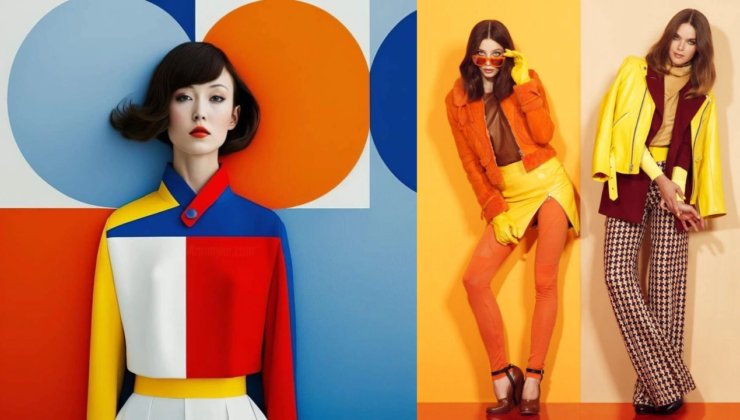
A business website can have a strong layout, polished copy, and clear calls to action, but if the photos look wrong, visitors will notice immediately. Images shape first impressions faster than text. Before people read about your services, pricing, or experience, they react to what they see.
Good photography builds trust. Bad photography creates doubt.
For many brands, the problem is not that they use photos. The problem is that they use the wrong photos, in the wrong places, without thinking about how those images affect credibility, user experience, and conversions.
Here are the most common website photography mistakes that make brands look less trustworthy.
1. Using Generic Stock Photos Everywhere
Stock photos are not always bad. They can be useful for blog posts, background visuals, and early-stage websites. But when a site relies too heavily on generic stock photography, it can feel fake.
Visitors have seen the same smiling office teams, staged laptops, handshake images, and customer support agents hundreds of times. These photos do not tell them anything specific about your business.
A better approach is to mix stock photos with original visuals:
- real team photos,
- real office or workspace images,
- actual product photos,
- behind-the-scenes pictures,
- customer environment photos,
- screenshots or process visuals.
Original images do not need to be perfect. They need to feel real and relevant.
2. Showing Fake Team or Customer Photos
Trust drops quickly when a business uses fake-looking people photos in places where users expect reality.
For example, if a website has a “Meet the Team” section, the photos should show real team members. If a testimonial includes a customer image, it should represent a real customer with permission. Using stock portraits or AI-generated faces in these contexts can feel deceptive.
Visitors may not always prove the image is fake, but they can sense when something feels off. That small doubt can weaken the whole brand.
If you do not want to show team faces, use alternatives: workspace photos, founder quotes, illustrations, process images, or branded graphics. Do not pretend stock models are real employees.
3. Uploading Low-Quality or Blurry Images
Blurry, stretched, pixelated, or poorly cropped images make a website look neglected.
This is especially damaging for businesses that sell expertise, design, beauty services, real estate, products, events, food, travel, or anything visual. If the images are weak, users may assume the service is weak too.
Before uploading images, check:
- sharpness,
- lighting,
- cropping,
- resolution,
- file size,
- mobile appearance,
- whether the image looks professional enough for the page.
A poor image can make even a good website design look amateur.
4. Over-Editing Photos Until They Look Fake
Editing should improve a photo, not destroy its realism.
Too much retouching, oversaturated colors, plastic-looking skin, unrealistic lighting, and aggressive filters can make a brand look less trustworthy. This is especially true for personal brands, service businesses, clinics, beauty providers, coaches, and consultants.
Users want polished visuals, but they also want honesty. If the images feel too artificial, people may question what else the business is exaggerating.
Use editing to correct lighting, improve clarity, and create consistency. Do not erase every natural detail.
5. Ignoring Consent and Sensitive Image Use
Any image involving a real person should be handled carefully. That includes team photos, customer images, event pictures, user-submitted content, and before-and-after visuals.
Consent matters. A person should know how their image will be used and where it will appear. This becomes even more important when images are edited, transformed, or used in sensitive contexts.
For example, if someone uses an undress ai function or any image feature that changes clothing, body appearance, or private presentation, the image should only involve a person who has clearly agreed to that use. Without consent, realistic image editing can quickly become a serious privacy and reputation issue.
For brands, the rule is simple: never use someone’s likeness in a way that could embarrass, misrepresent, or exploit them.
6. Using Images That Do Not Match the Brand
A website’s photography should match the brand’s tone.
A law firm should not use playful influencer-style visuals. A luxury brand should avoid cheap-looking stock photos. A children’s product brand should not feel cold and corporate. A tech startup should not rely on outdated business clichés.
Photos should support the positioning of the business.
Ask:
- Does this image match our audience?
- Does it fit our price level?
- Does it support our message?
- Does it feel consistent with the rest of the site?
- Would our ideal customer trust this?
If the answer is no, replace it.
7. Forgetting Mobile Cropping
Many website photos look good on desktop and terrible on mobile.
A hero image may crop off a person’s face. A product image may lose important details. A background photo may make text unreadable. A team photo may become too small to matter.
Because mobile traffic is so important, every key image should be checked on different screen sizes.
Pay attention to:
- faces,
- product details,
- text overlays,
- focal points,
- buttons placed over images,
- background contrast.
A strong desktop design is not enough. The image has to work where users actually view it.
8. Making Pages Slower With Huge Image Files
Trust is not only visual. Speed also affects credibility.
If a website takes too long to load because of large image files, users may leave before they even see the page. Slow-loading photos are especially common on homepages, service pages, portfolios, galleries, and eCommerce sites.
Before uploading images, resize and compress them. Use modern formats like WebP where possible. Avoid uploading full-resolution camera files directly to the website.
Good photography should support performance, not damage it.
9. Using Irrelevant Hero Images
The hero image is often the first major visual on a website. It should immediately support the page message.
Many websites use attractive but meaningless hero images. A software company uses a generic laptop photo. A service business uses a random city skyline. A consultant uses a vague abstract background. These images may look fine, but they do not help the visitor understand the offer.
A good hero image should reinforce:
- what the business does,
- who it serves,
- what result it provides,
- what feeling the brand wants to create.
If the image does not support the message, it is decoration, not communication.
10. Not Showing Enough Real Proof
Brands often use beautiful images but forget proof.
Trust grows when users see real examples: project photos, product photos, case study visuals, screenshots, event images, client work, team activity, or process documentation.
Instead of only showing polished marketing visuals, include evidence.
For example:
- before-and-after photos,
- completed projects,
- real product use,
- workshop or event photos,
- actual customer environments,
- behind-the-scenes images,
- screenshots of results.
Proof-based photography is often more persuasive than perfect photography.
Website photography is not just decoration. It affects trust, SEO, user experience, conversion rates, and brand perception.
The most trustworthy websites use images that feel real, relevant, clear, and consistent. They avoid generic stock photos, fake team pictures, low-quality visuals, over-editing, slow-loading files, and misleading image use.
A good image should help the visitor believe the brand, understand the offer, and feel confident taking the next step.
If your website photos look fake, outdated, or careless, users may assume the same about the business. But when your images feel authentic and intentional, they can make the whole website stronger.