eSIMs in 2025: A Buddy’s Guide to Embedded Connectivity
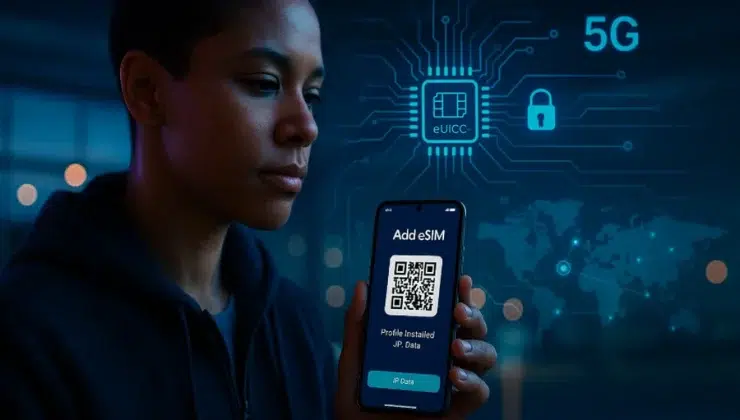
You step off a red-eye, the espresso smells heroic, and your phone…just works. No kiosk hunt. No tiny SIM tray tool. That’s the promise of eSIMs in 2025—embedded connectivity you set up before you fly, commute, or head to the gym. Here’s the friendly, plain-English guide your techy buddy would text you the night before takeoff.
What Exactly Is an eSIM (in Plain English)
An eSIM is a tiny, rewritable chip soldered inside your phone or watch (the eUICC). Instead of swapping plastic, you download a carrier profile—usually by scanning a QR code. Your device’s helper app (LPA) talks to a secure server (SM-DP+), pulls the encrypted profile, and—boom—you have service. Think of it like installing a secure “connectivity app” rather than inserting a card.
Why You’ll Want One This Year
- Data on arrival: Land, toggle data, call a ride, pull up tickets.
- Dual-line sanity: Keep your U.S. number for calls/2FA while a travel/data line handles internet.
- Less risk, less clutter: Nothing to lose, snap, or misplace. Remote disable if your phone goes missing.
- Multi-country flexibility: Swap or stack profiles without visiting a store.
Under the Hood (for the Curious)
- eUICC: The secure element that stores multiple profiles.
- LPA & SM-DP+: Your phone’s Local Profile Assistant authenticates, then fetches the profile from a Subscription Manager server over an encrypted channel.
- Remote management: Add, pause, or delete profiles without touching hardware. It’s like MDM, but for mobile service.
Will My Phone Work? (Quick Check)
| Platform | Typical Models (US) | Dual eSIM? | Handy Notes |
| iPhone | 12 → current | Yes | Recheck iMessage/FaceTime after adding a new data line. |
| Pixel | 5 → current | Yes (model/OS dependent) | SIM Manager makes DSDS easy; confirm hotspot allowance. |
| Galaxy S | S20 → current | Varies by model | Ensure VoLTE is enabled; update carrier settings. |
Make sure your device is carrier-unlocked.
Setup Playbook (iOS & Android)
- Buy a plan and receive the QR by email.
- Settings → Mobile/Cellular → Add eSIM (iOS) or Network & Internet → SIMs → Add eSIM (Android).
- Label the profile (e.g., “Trip Data”).
- Assign roles: set the new profile as Mobile Data; keep your main line for calls/SMS/2FA.
- Roaming toggle: enable it only on the travel eSIM if needed.
- Test before departure: turn off Wi-Fi, load a site, place a quick app call; then disable data until landing.
Data Options at a Glance
| Option | Setup | Multi-Country | Cost Control | Pros | Cons |
| U.S. carrier roaming pass | None | Sometimes | Low | Familiar | Pricey daily caps; bill shock risk |
| Local SIM per country | Kiosk queue | No | Medium | Cheap in one place | Time sink; SIM swap hassle |
| Pocket Wi-Fi hotspot | Pickup/return | Yes | Medium | Shareable for groups | Extra gadget + battery |
| eSIM (pre-install) | ~3 minutes | Yes | High | Instant, keep U.S. number, hotspot | Phone must support eSIM |
Troubleshooting + Pro Tips
- No data after scan? Airplane Mode 10 seconds → ensure the new profile is the active data line → toggle data roaming (for that line only) → reboot.
- iMessage/WhatsApp oddities? Re-select default lines for voice/data and re-register messaging.
- Battery life on 5G: If you’ll navigate all day, consider 4G/LTE to sip power.
- Security hygiene: Mobile data beats open café Wi-Fi. If you must use Wi-Fi, run a VPN.
Real-World Use Cases
- Travel: Keep your U.S. SIM for bank codes, let the eSIM do the heavy lifting for maps, rides, and translations.
- Work/Life split: One phone, two lines—business calls on one, personal on the other.
- Wearables & tablets: Add a data-only eSIM to a watch or tablet for runs, meetings, or café sessions without tethering.
Mini-FAQ
Can I hotspot with an eSIM?
Usually yes—check your plan’s tethering policy.
What if I replace my phone mid-trip?
Many providers let you move or reissue the profile; keep purchase emails handy and sign in to your account from the new device.
Is eSIM safer than plastic SIMs?
It reduces some physical risks (loss/clone) and supports remote revoke, but you should still use strong PINs and 2FA.
Learn More (Plain-English Primer)
If you want a straightforward explainer on activation, compatibility, and FAQs, this resource is a great starting point: Holafly eSIM.
The Bottom Line
eSIMs turn connectivity into a setting—not an errand. Set yours up before wheels-up, label it clearly, and give it a quick test. Whether you’re train-hopping across borders, juggling work and personal calls, or keeping a smartwatch independent from your phone, embedded connectivity in 2025 is the easiest travel upgrade you can make—no paper clip required.