The Android Emulator That All Gamers Should Try
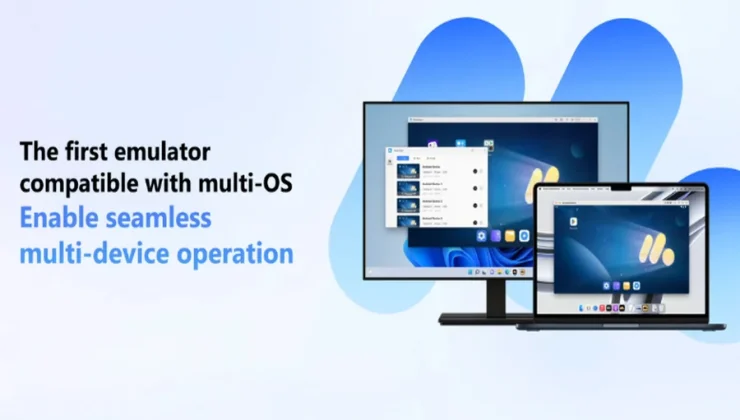
A record number of individuals are now playing games on their mobile devices. Playing for long periods of time on a tiny screen on a mobile device is not really fun. There are times when the batteries run out, the phone becomes too hot, and the controls may not seem quite right. This is the reason why an increasing number of gamers are turning to Android emulators to improve the quality of their games.
Of all the emulators available, MuMuPlayer is quickly becoming a favourite among gamers. Playing Android games on a Mac or PC is made as seamless as possible using MuMuPlayer, which was created with simplicity and performance in mind.
This post will explain why MuMuPlayer is unique, how it benefits players, and why installing it might be the change you’ve been seeking.
The Use of Android Emulators by Gamers
Let’s examine the significance of emulators before MuMuPlayer download. You may run mobile apps and games on your Mac or PC by using an Android emulator.
This section explains why gamers adore them:
- Bigger screen: You don’t have to squint at small screens.
- Better controls: Use your keyboard, mouse, or gamepad and enjoy a seamless gaming experience.
- Performance boost: PCs and Macs often provide more reliable performance as compared to phones.
- Multi-tasking: Running many games or accounts at once is possible.
In short, emulators increase the convenience and immersion of mobile gaming. Additionally, MuMuPlayer enhances all of these advantages.
The Reasons MuMuPlayer Is Unique
There are several Android emulators available, but most of them are either difficult to set up, heavy for typical PCs, or packed with advertisements. MuMuPlayer’s gamer-first strategy changes that.
1. Most PCs Have Smooth Performance
A very costly gaming setup is not necessary to play MuMuPlayer. Even on mid-range or older PCs and Macs, it is optimised to operate smoothly and is lightweight. Thus, there won’t be any more sluggish games or crashing applications.
2. Completely Ad-Free Experience
Many emulators use forced downloads or pop-up advertisements to disrupt the experience. MuMuPlayer maintains order. You receive an area devoid of distractions and clutter where your game is the only thing that counts. Consider it Pure Android with No Ads.
3. Personalised Controls
MuMuPlayer is aware that every game has a unique way of playing. Your controls may be mapped any way you desire. For shooters, use a keyboard; for Clash Royale, use a mouse and drag; and for role-playing games, use a controller. It adjusts to the way you play.
4. Sharp Images and a High Frame Rate
You understand how constrained it feels to play a graphically gorgeous game like Genshin Impact on a little phone. You may experience very clear visuals and a better frame rate on MuMuPlayer, which makes the game more fluid and engaging.
5. Mode of Multiple Instances
A gamer’s fantasy comes true here. You may run many accounts or games simultaneously using MuMuPlayer. Imagine using the same screen to advance ranks in one RPG and farm in another.
6. Solves Mobile Memory Issues
One of the biggest frustrations of mobile gaming is running out of storage space. Many modern games demand giant memory that most phones cannot handle. MuMuPlayer solves this by shifting the load to your PC or Mac, letting you install and run even the heaviest games without worrying about insufficient mobile memory.
7. Compatible with Mac and Windows
MuMuPlayer is compatible with both operating systems. You can still play your favourite games on whichever machine you choose.
Games on MuMuPlayer That Make You Feel Better
Almost all mobile games are enhanced when played on a PC, but with MuMuPlayer downlod, some stand out:
- Clash Royale: You have an advantage if you can drag and drop more quickly with a mouse.
- Mobile Legends: In ranked matchups, fluid controls enable you to respond more quickly.
- Pokémon GO: You can explore freely without being restricted by the capabilities of your phone.
- Genshin Impact: Magnificent worlds become even more magnificent when seen on a larger screen.
- Love and Deepspace: The strong narrative of this game is boosted by the vibrant visuals.
Some Advice for Making the Most of MuMuPlayer
Here are some pointers to get the most of your experience if you choose to download MuMuPlayer:
- Modify settings: For better performance, align the emulator’s settings with the specifications of your computer.
- Map your keys: It makes a big difference to take a few minutes to personalise your controls for every game.
- Utilise multi-instance mode: This is ideal for gamers who manage many accounts.
- Keep it updated: New game support and optimisations are often included in updates.
The Reasons MuMuPlayer Feels Unique
This is what makes MuMuPlayer unique. It seems to have been created by and for gamers. Many emulators feel like cumbersome tools designed merely to run applications. It seems as if MuMuPlayer is a continuation of gaming.
No advertisements. No intricate menus. No complicated setup. Simply download, set up, log in, and start playing. It is simple and designed for gamers that like to play games rather than struggle with software.
How to Begin
With MuMuPlayer, getting started is easy:
- Get MuMuPlayer by clicking on the official link.
- Set it up quickly and easily for beginners on your Mac or PC.
- Get your favourite games by logging into Google Play.
- Before you start playing matches, adjust your controls.
- Savour a more expansive, seamless, and ad-free gaming experience.
Conclusion
If you enjoy mobile games but feel limited by your phone, try something different. An Android emulator like MuMuPlayer gives you greater control, better graphics, and longer playtime without a small screen. MuMuPlayer is unique because it blends functionality, ease of use, and a completely ad-free experience. It improves your games rather than merely running them.
Get the MuMuPlayer download now if you’re prepared to enhance your mobile gaming experience. Enjoy mobile games the way they were intended to be played: play larger, play smarter.