Tailride vs Gennai: Which Invoice Tool Is Better?
Simplify invoice follow-up with InvoiceTracker.io
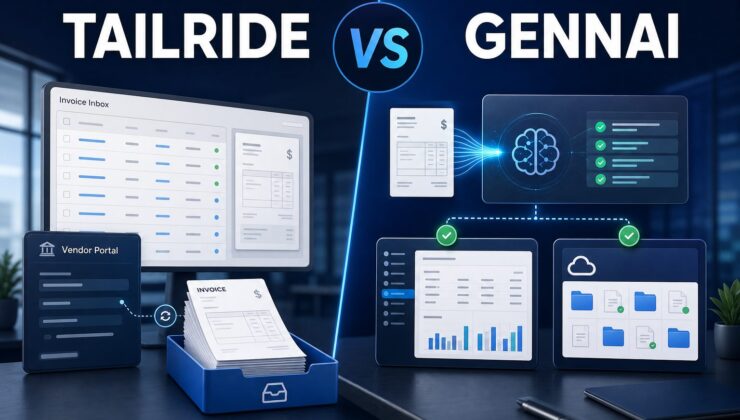
Tailride and Gennai are AI-powered invoice automation tools designed to reduce the time businesses spend searching inboxes, downloading attachments, extracting data, and moving documents into accounting systems. They overlap in several important areas, but they are not identical products. Tailride takes a broader collection-and-reconciliation approach, while Gennai presents a more focused path from connected inboxes to reviewed invoice data and accounting exports.
That distinction matters because invoice automation problems rarely look the same from one company to another. A founder may simply want every recurring software invoice stored in one place. An accountant may need draft bills created in Xero or QuickBooks. A finance team may be trying to recover invoices from supplier portals and reconcile them against bank transactions. This comparison looks at how Tailride and Gennai approach those jobs, where each platform appears strongest, and which type of user should choose each one.
Quick Verdict
Tailride is the better choice for businesses that want broad invoice and receipt collection across email, online vendor portals, uploads, and reconciliation workflows. Its product is built around gathering documents from scattered sources and then moving them toward storage, accounting, and transaction matching.
Gennai is the better choice for teams that want a streamlined email-to-accounting workflow. It focuses on finding invoices in Gmail, Outlook, or IMAP inboxes, extracting important fields with AI, organizing the results in a review dashboard, and exporting them to destinations such as Xero, QuickBooks, cloud storage, spreadsheets, or CSV files.
For users who want a simpler third option centered on tracking invoices and recurring expenses, the InvoiceTracker.io link above is worth reviewing before committing to a larger bookkeeping workflow.
Tailride vs Gennai at a Glance
| Category | Tailride | Gennai |
| Primary focus | Invoice and receipt collection across inboxes and vendor portals | AI extraction from inboxes and connected submission channels |
| Collection sources | Email, uploads, portal tools, and browser-assisted retrieval | Gmail, Outlook, IMAP, WhatsApp, Telegram, and uploads |
| Accounting workflow | Exports and integrations plus invoice-to-transaction reconciliation | Direct exports and draft-bill workflows for accounting platforms |
| Best fit | Teams with invoices spread across inboxes, portals, and bank records | Teams that want a focused email-to-accounting pipeline |
| Learning curve | Broader workflow with more collection and reconciliation options | Streamlined workflow centered on invoice review and export |
What Is Tailride?
Tailride is an invoice and receipt automation platform that collects financial documents from connected email accounts, uploads, and online portals. Its public product pages emphasize inbox scanning, browser-based portal extraction, integrations, AI processing, and reconciliation. The goal is to create one organized flow for documents that would otherwise be scattered across inboxes, vendor accounts, and shared folders.
Its portal workflow is one of the clearest differentiators. Many recurring business invoices do not arrive as clean PDF attachments. Instead, the customer receives a notification and must sign in to Amazon, Stripe, Adobe, advertising platforms, cloud services, or another supplier portal to retrieve the actual document. Tailride offers browser-assisted tools intended to make those retrieval steps faster and organize the results alongside email invoices.
Tailride also extends beyond collection. The platform can extract invoice details, identify duplicates, categorize records, export structured information, and connect documents to accounting or storage destinations. Reconciliation features are designed to compare invoice records with bank transactions so teams can identify missing documentation and review mismatches before month-end.
Best for: businesses with invoices spread across multiple inboxes and online supplier portals, especially when the finance workflow also includes transaction reconciliation.
What Is Gennai?
Gennai is an AI invoice extraction and organization platform centered on connected inboxes. Users connect Gmail, Outlook, or another IMAP mailbox, and the system looks for supplier invoices, extracts key fields, and places the results in a searchable dashboard. Additional intake options include messaging channels and manual uploads, giving teams several ways to submit documents without creating separate email rules for every employee.
The product emphasizes a review-and-export workflow. Extracted fields can include the supplier, invoice number, date, amount, currency, tax information, and line items. Users can review or correct the data, apply custom rules, manage duplicates, and then send the results to accounting platforms, cloud storage, spreadsheets, or CSV exports. Its Xero workflow is particularly easy to understand: captured supplier invoices can be prepared as draft bills with the original document attached for review.
Gennai also supports historical scans, which can help a new customer recover older invoices from an inbox rather than starting with only future messages. Team and accountant access, permissions, tags, analytics, and bulk operations make the system more useful when more than one person is responsible for the monthly close.
Best for: freelancers, agencies, small finance teams, and accountants who want a focused pipeline from email capture to reviewed accounting data.
Invoice Collection: Which Tool Finds More Documents?
Both products begin with email, which is where many subscription invoices and supplier bills arrive. Tailride supports inbox scanning and can bring email documents into the same workspace as portal downloads and manual uploads. Gennai monitors connected Gmail, Outlook, or IMAP accounts and is designed to detect invoice attachments automatically, including historical searches when a user wants to backfill old records.
Tailride has the advantage when the hardest documents live behind vendor logins. Its browser-oriented portal tools are designed for services where an email may contain only a notice or link. That can be important for ecommerce businesses, agencies, and online companies with recurring expenses spread across advertising, hosting, SaaS, marketplaces, and cloud platforms.
Gennai has the advantage when the workflow is dominated by inboxes and employee submissions. Messaging intake through WhatsApp or Telegram can give team members a simple way to submit a photo or document. The better choice depends on where missing invoices actually originate: supplier portals favor Tailride, while inbox and messaging-heavy workflows favor Gennai.
AI Extraction and Data Review
Tailride and Gennai both use AI to convert an unstructured invoice into organized fields that can be searched or exported. The practical value is not the AI label itself; it is whether the system reliably captures the supplier, date, total, tax, currency, invoice number, and supporting line items from the documents your company receives.
Gennai presents extraction as the center of the product. Its dashboard is structured around invoices that have been captured, items that need review, historical scans, and exports. Custom AI rules can help handle recurring edge cases, such as assigning a vendor to a consistent category. Duplicate detection is also important because the same invoice may arrive through forwarding, inbox access, and a manual upload.
Tailride combines extraction with a wider pre-accounting process. In addition to reading invoices, it emphasizes categorization, portal collection, storage destinations, and reconciliation. This breadth can be useful, but it also means the team should spend time configuring sources and reviewing how data moves through the system. Whichever product you test, run a sample that includes standard PDFs, image-based receipts, credit notes, foreign currencies, multi-page documents, and invoices with unusual layouts.
Accounting Integrations and Exports
An invoice automation tool only saves time if the extracted record reaches the place where work continues. Tailride promotes exports and integrations for accounting software, cloud storage, and spreadsheets. Its reconciliation layer can help connect the supporting document to a bank transaction and highlight records that still need attention.
Gennai emphasizes direct exports to accounting destinations such as Xero and QuickBooks, along with Holded, Google Drive, OneDrive, Google Sheets, and CSV. For accounting teams, the draft-bill approach is valuable because it keeps a human review step before anything is approved or posted. That can reduce manual entry without turning the workflow into an unmonitored black box.
Tailride is more appealing when reconciliation and document completeness are central concerns. Gennai is more appealing when the main goal is to move an invoice from an inbox into an accountant-ready record with minimal manual typing. Before selecting either tool, confirm the exact destination, supported fields, attachment behavior, account permissions, and whether exports create drafts or final records.
Ease of Use and Setup
The initial setup for both products starts with connecting one or more sources. Gennai’s product story is deliberately narrow: connect email, let the AI find invoices, review the extracted data, and export it. That sequence should be approachable for a small business that wants quick value without redesigning its entire finance process.
Tailride can also begin with inbox scanning, but its broader capabilities create more decisions. Users may want to connect portal workflows, accounting destinations, cloud storage, and bank statements. The additional configuration can pay off for a company with complex sources, yet a very small team may prefer to activate features gradually rather than attempting a complete migration at once.
A fair trial should measure setup time, the percentage of invoices captured, the percentage of fields requiring correction, duplicate handling, export reliability, and the amount of review time saved. A polished homepage is not evidence that a product will recognize every document your vendors send, so real-world testing is essential.
Security and Data Access
Invoice platforms handle sensitive supplier, pricing, tax, and payment information. Buyers should review how each service connects to email, which permissions it requests, where files are stored, how data is encrypted, who can access a workspace, and how exports or deletions are handled. Gennai states that its email workflow uses read access to find invoice attachments and describes encryption for stored data and credentials. Tailride also publishes information about browser-based portal extraction and its handling of authenticated sessions.
The correct security choice depends on company policy. Some teams may prefer direct mailbox connections, while others may be more comfortable with forwarding addresses or manual uploads. Accountants managing several clients should pay special attention to entity separation, role permissions, audit trails, and whether one client can ever see another client’s documents.
Who Should Choose Tailride?
Choose Tailride when invoices are spread across several email accounts and vendor portals, missing receipts regularly appear during reconciliation, or the team wants a broader pre-accounting workflow. It is particularly relevant for online businesses with many recurring tools and services, because those suppliers often require manual portal downloads.
Tailride is also the better fit when transaction matching is a major part of the pain. If the finance team spends month-end comparing a bank statement against a folder of documents and chasing whatever is missing, a collection tool with reconciliation features can remove more work than an email extractor alone.
Who Should Choose Gennai?
Choose Gennai when most supplier invoices arrive through Gmail, Outlook, or IMAP and the desired outcome is a clean review queue followed by an accounting export. Its focus makes sense for freelancers, agencies, small teams, and accountants who want to reduce manual data entry without adopting a large accounts-payable platform.
Gennai is also appealing when staff need simple submission channels. Email, messaging, and uploads can cover a distributed team without requiring everyone to learn the full dashboard. Its historical scanning option is useful for businesses that want to recover older invoices during onboarding.
Frequently Asked Questions
Is Tailride better than Gennai?
Tailride is better for broad document collection, vendor portals, and reconciliation. Gennai is better for a focused inbox-to-accounting workflow. The stronger option depends on where invoices arrive and what must happen after extraction.
Do Tailride and Gennai create invoices?
The main comparison here is invoice collection and processing, not customer billing. Businesses looking to design and send sales invoices should confirm whether they need a separate invoicing platform. Tailride and Gennai are primarily useful for capturing and organizing incoming supplier documents.
Can both tools connect to accounting software?
Both products promote accounting integrations or exports. The supported destination, field mapping, attachment behavior, and posting status can differ, so test the exact workflow your accountant uses before moving all documents.
Which option is easier for a small business?
Gennai may feel simpler for a small business whose invoices mainly arrive by email. Tailride may save more time for a small online business that must retrieve invoices from many portals. InvoiceTracker.io is another streamlined option for users who mainly want organized invoice and recurring-expense tracking.
Final Verdict
Tailride and Gennai solve the same broad problem from different starting points. Tailride is the stronger all-around choice for companies that need to collect documents from inboxes and vendor portals, then reconcile them against financial activity. Gennai is the stronger focused choice for teams that want AI extraction, review, and direct accounting exports built around connected inboxes.
Before deciding, list the five sources that create the most invoice work today and test both platforms using those documents. The better tool is the one that captures more records correctly, requires fewer corrections, and leaves your accountant with a cleaner monthly handoff.