Work No Longer Starts at 9:00. It Starts When Your Phone Lights Up
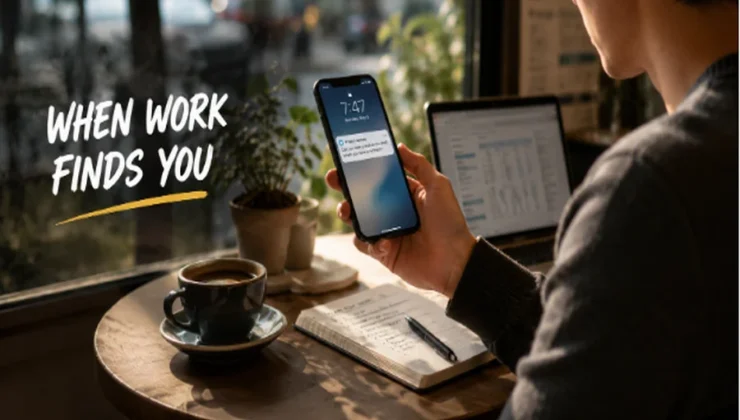
For many people, the workday no longer begins when they sit down at a desk.
It may start while making coffee, with a quick reply to a client. It may start before breakfast, with one look at the calendar. It may start in the back of a taxi, while approving an invoice between meetings. It may start at an airport gate, with a proposal opened for one last edit.
None of these moments feels like “going to work.”
But together, they have become the workday.
Work used to have clearer edges. People left home, went to the office, worked, and came back. The place itself helped separate work from the rest of life.
Now those lines are much harder to see.
Work did not simply move out of the office. It slipped into the small spaces between everything else. A phone lights up, a message appears, a file opens, and suddenly work is back.
The biggest change is not that people can work from anywhere. It is that work can begin almost anytime.
Work Now Happens Between Other Parts of Life
Many people no longer work from one place for eight straight hours.
They reply to messages while waiting for coffee. They review reports on a train. They edit documents between meetings. They confirm client details from a hotel room. They answer emails after dinner because the day ran out of space.
Each moment feels small.
But together, they change the shape of the workday.
Work now shows up during waiting, commuting, traveling, resting, and switching from one part of life to another. That can be useful. A simple task does not always have to wait until tomorrow. A project can keep moving even when someone is away from their desk.
But there is a tradeoff.
The boundary around work becomes thinner.
In the past, leaving the office created a natural pause. Now, as long as the phone is nearby, work can restart at any time. That does not make modern work completely good or bad. It simply means work has become more broken into pieces than many people are ready for.
Every New Location Changes the Way Work Feels
It is easy to think that if someone has a laptop and internet, work is basically the same anywhere.
It is not.
A familiar office has a stable desk, a known network, a bigger screen, reliable power, and fewer small decisions. A café has noise, shared tables, and Wi-Fi that may need another login. An airport breaks attention with boarding calls and long lines. A hotel room may be quiet, but the setup rarely feels as smooth as home.
The task may be the same.
The setting is not.
A person may still be writing the same proposal, checking the same dashboard, or joining the same meeting. But every place adds a little friction. The battery is lower. The network is different. The screen is smaller. The room is less familiar. Attention is easier to lose.
These things may not stop the work.
But they make the work take more effort.
That is why good mobile work habits are not only about carrying a lighter laptop. They are about knowing how each place changes focus, access, and decision-making.
Working Everywhere Also Means Connecting Everywhere
When work happens in more places, people also connect from more places.
Someone may start the morning on home Wi-Fi, join a meeting from the office network, answer client messages from a café, and finish a document on hotel Wi-Fi later that night. Each switch feels normal. But from a work point of view, the connection has changed several times in one day.
That matters because work now depends on accounts, files, dashboards, documents, payment tools, and messages that follow people everywhere.
Professionals who often work from hotels, airports, cafés, or shared workspaces sometimes include a VPN service as one layer in a broader privacy routine. It is not a full security plan, and it does not make every work problem disappear. But when people often open business tools through unfamiliar networks, it can add one extra layer of privacy. X-VPN is one example professionals may compare when looking at consumer VPN tools for everyday remote work.
The larger point is not the tool itself.
It is the change in work habits.
Work used to happen mostly inside one office network. Now it follows people across locations. If work can begin almost anywhere, connection habits need to travel too.
The Best Workflows Feel Invisible
A good workflow is easiest to miss when it is working well.
Files open. Accounts load. Permissions are correct. Devices sync. Meeting links work. Notes are where they should be. The internet is stable enough that nobody thinks about it.
Only when something breaks do people notice how many small pieces modern work depends on.
A document will not open because access was never granted. A login fails because the code is on another device. A file has not synced because the network dropped. A payment dashboard asks for extra verification because the login location looks different.
None of these problems has to be huge.
But each one breaks momentum.
For modern professionals, productivity is not only about doing tasks faster. It is also about reducing the small problems that appear when work moves between devices, places, and networks.
That is why some of the most useful work habits are not very exciting. Organizing files. Managing passwords. Checking permissions. Saving important materials offline. Knowing how common tools behave outside the usual setup.
These habits do not look impressive. They just help work continue when the setting changes.
Trust Matters More When Work Travels With You
When someone works from the same office every day, the tools around them can fade into the background.
When work moves between places, those tools become part of the journey.
Email, cloud storage, messaging apps, project boards, payment platforms, AI tools, browsers, browser extensions, and privacy tools all follow people from home to the office, from airports to hotels, from cafés to client meetings. They are no longer just software used at work. They are part of how work stays available everywhere.
That makes tool choice more important than it may seem.
Features matter. But so do reliability, privacy practices, transparency, and long-term trust. This is especially true for tools that handle browsing activity, network connections, or access to work accounts. When a privacy service becomes part of someone’s daily workflow, users have a reason to understand not only what it does, but also how it operates behind the scenes.
A public transparency report is one way a VPN or privacy service can show how it handles operational requests, accountability, and transparency over time.
This does not mean every professional needs to become a technical reviewer.
It means that as tools become more deeply tied to everyday work, people should not judge them only by convenience. They also need to ask whether those tools deserve a lasting place in their workflow.
The Office Did Not Disappear. Its Boundaries Did.
People often say the office disappeared.
It did not.
Offices still exist. Meeting rooms still exist. Desks, coworkers, and face-to-face conversations still matter.
What changed is that the office is no longer the only boundary around work.
Work now lives in phones, browsers, airports, cafés, hotel rooms, home offices, client sites, and late-night messages from the sofa. That gives people more freedom, but it also puts more pressure on habits that were built for a more fixed workday.
The people who adapt best are not always the ones with the most tools.
They are the ones with routines that travel well.
Wherever the next meeting happens, wherever the next file opens, and whenever the next message appears, their work can continue without every change of setting becoming a problem.
Modern work no longer happens in one place.
It happens between places, and often between the rest of life.
The challenge now is learning how to manage those boundaries before they disappear completely.