Gemini’s Nano Banana AI: Revolutionizing Image Editing in Mobile Apps
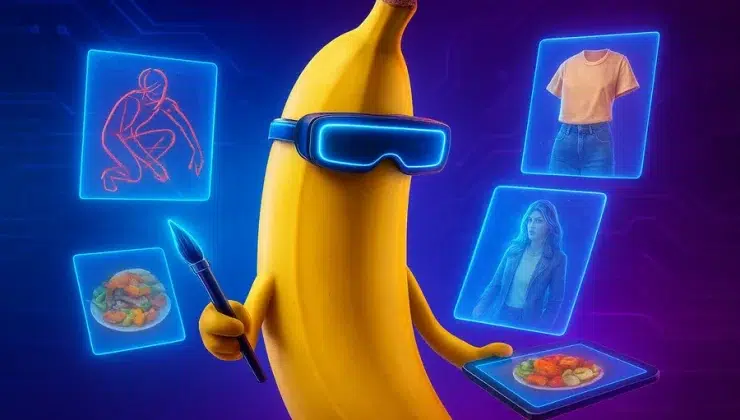
We live in a world where smartphones have quietly replaced cameras for nearly everyone. Birthdays, sunsets, random coffee shots—our phones capture it all. But when it comes to editing? That’s where frustration creeps in.
Most apps trap you between two extremes: quick filters that look cloned across the internet, or confusing controls that only seasoned pros enjoy. It’s in this messy middle ground that Google’s Gemini team decided to plant something bold: Nano Banana AI.
Unlike today’s predictable AI photo editors, this one is designed to better interpret your pictures and help you shape them in a way that feels closer to your intent.
Why Photo Editing Feels Broken
Think about the last time you edited a picture. You probably tapped a filter, scrolled through ten more, sighed, and then gave up. Or maybe you tried the advanced route—tweaking brightness, tone, saturation—only to end up making the photo worse.
Most people don’t want endless menus. They want an edit that feels personal. Something that enhances mood without making the shot look artificial. Right now, the tools don’t quite meet that need.
The Curious Name: Nano Banana
Odd name, right? But it carries meaning. The “Banana” part has been described as representing layers—like peeling fruit to reveal what’s inside. In the same way, this AI looks beyond surface details in a photo, factoring in light, atmosphere, and context before suggesting changes.
The “Nano” half reflects Google’s push toward more efficient models that can run directly on-device. While not every operation is guaranteed to stay local, Nano Banana has been highlighted as faster and more privacy-conscious, reducing the need to rely heavily on cloud servers.
How It Works: The Core
Nano Banana AI isn’t a single trick but a set of techniques working together. Three stand out:
1. Context Awareness
Instead of tagging objects (“dog, tree, car”), it aims to read a broader context. A quiet alley at dusk feels different from a lively beach. The AI interprets that difference and suggests edits suited to the mood.
2. Reading Your Intent
Even small tweaks are treated as creative signals. If you warm up a photo, Artificial intelligence can extend that choice—balancing contrast, tones, and shadows in line with the adjustment. That way, you spend less time on repetitive steps.
3. Smarter Object Removal
Removing objects has always been tricky. Traditional tools often leave odd smudges. Nano Banana’s fill system tries to reconstruct missing details in a way that better respects light, depth, and texture. The results look more natural, even if not perfect in every case.
Editing as a Conversation
This is where the experience feels different. Imagine you’re in a café, snapping a low-light picture. Normally, you’d push sliders up and down for ten minutes. With Nano Banana, the app might surface options that feel almost conversational:
- Do you want to keep the moody atmosphere?
- Or brighten the lamp glow while keeping the rest soft?
It’s subtle, but it changes the dynamic. Instead of just fixing an image, you’re guiding the story behind it.
Why It Matters for Mobile Apps
Integrating Nano Banana into editing apps does more than simplify workflows. It changes what’s possible:
- Privacy-conscious: Photos never leave your device.
- Speed without compromise: Faster edits with less waiting around.
- Accessible for beginners: Even without technical know-how, users can get polished results.
- Helpful for pros: Experienced users save time and stay focused on creativity instead of mechanics.
How It Stands Apart
Other apps often highlight AI features as fun tricks—swapping skies, changing hair color, or flipping day into night. Nano Banana takes a different approach. Instead of chasing spectacle, it focuses on aligning edits with intent.
That’s the difference. Filters can make photos look “done.” Nano Banana aims to make them feel more true to the moment.
A Glimpse Into the Future
Nano Banana also points toward where mobile editing may be heading. Rather than expecting people to master endless settings, devices are starting to adapt to how we naturally express ourselves.
Picture this:
- Vacation shots where the AI highlights the emotion of a place instead of flattening it.
- Family portraits where warmth and connection are emphasized automatically.
- Street photos where grit and realism are preserved without losing clarity.
It’s not about adding more complexity. It’s about stripping friction away.
Final Thoughts
Gemini’s Nano Banana AI isn’t just another feature in a long line of editing apps; it’s part of a broader rethinking of what mobile editing can feel like.
By combining speed, privacy-aware design, and context-sensitive intelligence, it creates new opportunities for both casual users and professionals. Beginners get simplicity. Pros get efficiency. Everyone gets photos that capture the feeling of the moment, not just the look.
Editing shifts from being a technical chore to becoming a smoother creative process. With Nano Banana, Google isn’t just improving images—it’s nudging photo editing toward a future where tools adapt to us instead of the other way around.
As that shift continues, we may one day look back at endless sliders and clunky filters the way we now look at CDs or disposable cameras: a stage we’ve already moved beyond. The future of photo editing feels lighter, smarter, and more personal than ever before.