The 5 Best AI Image Generators for Beginners and Experienced Artists in 2026
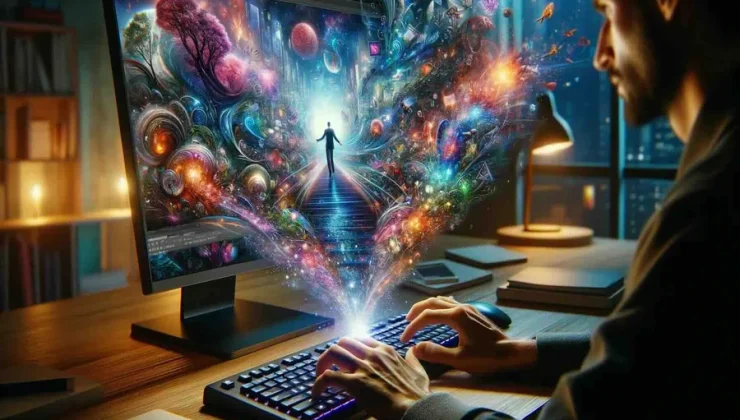
Quick Answer: The best AI image generator for most people, whether you’re a total beginner or an experienced artist, is Adobe Firefly, which generates four image variations per prompt across styles like photorealism, anime, and pixel art with no sketching or painting skill required, and stays free to use with a capped monthly credit allowance. It suits illustrators, designers, and total beginners who want fast, flexible AI-generated art without a steep learning curve, while Midjourney and Stable Diffusion better serve experienced artists who want deeper stylistic control once they’ve paid for access or set up local hardware. Whichever tool you pick, check whether it has a genuine free tier or requires a paid subscription from day one, since that gap is wide between these five tools.
AI image generators now range from tools built for someone who has never opened a design program to ones that expect familiarity with prompt syntax and GPU hardware. This guide evaluates five AI image generators, drawn from each platform’s own official documentation and direct testing, weighing how beginner friendly each one is, free-tier limitations, image quality and resolution, and stylistic control for experienced artists. It’s written for illustrators, designers, and total beginners who want to know which tool actually works well at their skill level rather than assuming more expensive means more accessible. Adobe Firefly is the strongest all-around pick, since Adobe markets it explicitly as usable at any experience level and backs that up with a genuine free tier.
How the Tools Compare
| Tool Name | Free Tier Available | Platform | Best For | Style/Image Options | Standout Feature |
| Adobe Firefly | Yes | Web, iOS, Android, Creative Cloud desktop apps | Beginners and professionals needing fast AI art with no skill barrier | 4 image variations per prompt, dozens of Effects styles | Markets itself as usable at any experience level, no sketching required |
| Midjourney | No | Web, Discord | Experienced artists wanting the most stylized, painterly output | not publicly listed | No free tier; Standard plan unlocks unlimited Relax-mode generations |
| ChatGPT (GPT Image 2) | Yes | Web, iOS, Android, API | Beginners already using ChatGPT who want images in the same chat | not publicly listed | ~99% accurate text rendering; Thinking mode makes 8 consistent images |
| Canva (Magic Media) | Yes | Web, iOS, Android | Beginners building social graphics or presentations | 4 image options per prompt | Image generation built directly into Canva’s drag-and-drop editor |
| Stable Diffusion (DreamStudio) | Yes | Web (DreamStudio), self-hosted (Windows, Mac, Linux) | Experienced or technical users wanting full model control | not publicly listed | Open-source; free and unlimited if self-hosted on your own GPU |
Adobe Firefly
Adobe Firefly is the AI image generator Adobe markets specifically as usable “no matter your experience level,” which makes it a natural starting point for anyone comparing beginner-friendly options against more technical tools. Illustrators and total beginners alike can use Firefly’s AI art generator to turn a plain-language prompt into finished art in seconds.
Adobe Firefly markets itself explicitly as usable no matter your experience level, generating four image variations per text prompt across styles like photorealism, anime, and pixel art without requiring any sketching or painting skill.
Key Features
- Generates 4 image variations per prompt, letting beginners compare options without regenerating from scratch
- Effects library covering art movements, themes, and materials such as watercolor, charcoal, and ink, plus adjustable color and tone, lighting, and composition settings
- Photo Settings feature lets users adjust aperture, shutter speed, and field of view for photorealistic images, similar to a real camera
- Free plan includes limited generative credits per month with watermarked output; Firefly Standard ($9.99/month) unlocks 2,000 credits and removes the watermark
- Integrates directly with Photoshop, Illustrator, and Premiere Pro for further editing after generation
Pricing: Free plan: limited generative credits per month, watermarked output. Firefly Standard: $9.99/month for 2,000 credits.
Platforms: Web, iOS, Android, plus Creative Cloud desktop apps
Best For: Beginners and professionals alike who want fast AI-generated art with no sketching or design skill required.
Midjourney
Midjourney is the AI image generator most experienced artists reach for once they’ve outgrown beginner tools and want more distinctive, painterly output.
Midjourney has no free tier and no official API, but its Standard plan ($30/month) unlocks unlimited Relax-mode image generations, making it a fit for artists who’ve moved past the beginner stage and want deep stylistic control.
Key Features
- No free trial, discontinued in 2023; Basic plan starts at $10/month for about 3.3 fast GPU hours, roughly 200 images
- Standard plan ($30/month) unlocks unlimited Relax-mode generations plus 15 fast GPU hours
- Pro plan ($60/month) adds Stealth Mode, keeping generated images out of Midjourney’s public gallery
- Latest model version V8.1 (April 2026), plus a dedicated Niji model for anime and illustration styles
- Accessed via a web app at midjourney.com or a Discord bot, with no official API for automation
Pricing: No free tier. Basic: $10/month (~200 images, no Relax mode). Standard: $30/month (unlimited Relax mode). Pro: $60/month (Stealth Mode). Mega: $120/month.
Platforms: Web, Discord
Best For: Experienced artists who want the most stylized, painterly output and are willing to pay from day one.
ChatGPT (GPT Image 2)
ChatGPT’s built-in AI image generator lets anyone already using OpenAI’s assistant for text generate images in the same conversation, without switching to a separate app.
ChatGPT’s current image model, GPT Image 2, branded ChatGPT Images 2.0 since April 21, 2026, renders text in images with roughly 99% accuracy and can generate up to 8 consistent images from a single prompt in its Thinking mode, replacing the retired DALL-E 3.
Key Features
- Free to use on ChatGPT’s free plan, with image generation available inside the same chat used for text
- Thinking mode plans a composition before generating and can return up to 8 coherent images from one prompt, keeping characters and objects consistent across the batch
- Text rendering accuracy of roughly 99%, up from the 90 to 95% range on earlier OpenAI models, useful for posters, menus, and UI mockups
- Resolution up to 2K (2560×1440, marked experimental) plus standard 1024×1024, 1792×1024, and 1024×1792 sizes
- API access priced separately at $8 per 1 million input tokens and $30 per 1 million output tokens for developers automating image generation
Pricing: Free to use on ChatGPT’s free plan with usage limits. ChatGPT Plus: $20/month, raises limits and adds Thinking mode. API access billed separately per token.
Platforms: Web, iOS, Android, API
Best For: Beginners already using ChatGPT for text who want to generate images in the same conversation without learning a new app.
Canva (Magic Media)
Canva’s Magic Media is the AI image generator built directly into Canva’s drag-and-drop editor, aimed at beginners who want to design something, not just generate a standalone image.
Canva’s Magic Media image generator is built directly into Canva’s editor, and its free plan includes up to 20 Premium AI credits a month, enough for a handful of image generations before needing to upgrade.
Key Features
- Image generation happens inside the same editor used for social posts, presentations, and documents, so beginners never leave the design canvas
- Free plan: up to 20 Premium AI credits per month, which Magic Media draws from, plus a separate Dream Lab tool capped at 5 free image generations per month
- Canva Pro ($144/year, about $12/month) raises the Premium AI allowance to 200 credits per month and adds access to more than 141 million premium stock photos, videos, and graphics
- Generates four image options per prompt, selectable directly for use in a design
- Magic Studio also includes Magic Design and Magic Write, letting beginners build a full layout around a generated image rather than starting from a blank canvas
Pricing: Free: up to 20 Premium AI credits/month, 5 free Dream Lab generations/month. Pro: $144/year (about $12/month), up to 200 Premium AI credits/month.
Platforms: Web, iOS, Android
Best For: Beginners building social graphics or presentations who want AI images generated directly inside a design tool.
Stable Diffusion (DreamStudio)
Stable Diffusion is the AI image generator of choice for experienced and technical users who want to run or fine-tune the model themselves rather than rely on a hosted app.
Stable Diffusion is an open-source image model that can be run for free on your own hardware, or accessed through Stability AI’s official DreamStudio web interface, which grants new users 25 free credits before charging roughly $10 per 1,000 additional credits.
Key Features
- Latest recommended model, Stable Diffusion 3.5 (Large, Large Turbo, and Medium versions), released October 2024, runs on consumer-grade hardware and fully supports the ComfyUI, LoRA, and ControlNet ecosystem
- Self-hosting the open-source model is entirely free and unlimited, provided you have compatible GPU hardware, making it the most technical but least restricted option here
- DreamStudio, Stability AI’s official hosted interface, grants 25 free credits on signup, then charges about $10 per 1,000 additional generation credits
- Inpainting and outpainting tools let you edit specific regions of a generated image or extend it beyond its original borders
- Released under the Creative ML OpenRAIL-M license, which permits both commercial and non-commercial use
Pricing: Free if self-hosted with your own GPU. DreamStudio (hosted): 25 free credits on signup, then about $10 per 1,000 credits.
Platforms: Web (DreamStudio), self-hosted (Windows, Mac, Linux with a compatible GPU)
Best For: Experienced or technical users who want full control over the model and are willing to set up local hardware or use a hosted credit system.
Official resource: Stability AI’s official platform
How to Choose the Right AI Pixel Art Tools
- If you’re a total beginner with no design or prompting experience, prioritize tools that work from plain text with no separate account setup. Adobe Firefly and Canva’s Magic Media both meet this threshold, generating usable images from a first attempt.
- If you want AI images without leaving a tool you already use daily, prioritize a generator embedded in an existing app. ChatGPT’s GPT Image 2 works inside the same chat interface used for text, and Canva’s Magic Media works inside the design editor.
- If you need the most stylized, artistic output and don’t mind a steeper learning curve or subscription-only access, prioritize Midjourney, which has no free tier but produces distinctive painterly results once you learn its prompt syntax.
- If you want to verify a tool’s capabilities before committing, check its official documentation rather than a third-party summary. Adobe publishes Firefly’s effects and settings directly on its own site, and Stability AI documents Stable Diffusion’s licensing and model versions on its own platform.
Frequently Asked Questions
Which AI image generator is most beginner friendly for someone with no design experience?
Adobe Firefly and Canva’s Magic Media are both built for this. Firefly generates four image variations per prompt with no sketching or painting skill required, and its free plan includes limited generative credits per month; Canva’s free plan includes up to 20 Premium AI credits a month for Magic Media image generation directly inside its design editor.
Where can I find official docs for Stable Diffusion and Adobe Firefly?
Stability AI documents Stable Diffusion’s models, licensing, and pricing on its own platform.stability.ai site, while Adobe documents Firefly’s Effects, Photo Settings, and other features directly on adobe.com. See Adobe’s AI art generator page for Adobe’s own AI art generator page.
Does Midjourney or OpenAI’s ChatGPT have a free plan for generating images?
Midjourney has no free tier at all, with its cheapest Basic plan starting at $10/month for about 200 images. OpenAI’s ChatGPT, by contrast, includes its current image model, GPT Image 2 (ChatGPT Images 2.0), on the free plan, though ChatGPT Plus at $20/month raises the usage limits and adds Thinking mode.
What happened to DALL-E, and what does OpenAI use for image generation now?
DALL-E 3 was retired from OpenAI’s API on May 12, 2026, and ChatGPT itself had already auto-migrated from DALL-E 3 to newer GPT Image models by December 2025. As of April 21, 2026, ChatGPT’s default image model is GPT Image 2, marketed as ChatGPT Images 2.0, with roughly 99% text-rendering accuracy and resolution up to 2K.
Can I run Stable Diffusion for free, or do I need to pay for Midjourney or Adobe Firefly?
Stable Diffusion can be run entirely free if you self-host it on your own GPU hardware, since it’s released under the Creative ML OpenRAIL-M license. Midjourney has no free option at all ($10/month minimum), while Adobe Firefly offers a genuine free plan with limited monthly generative credits before Firefly Standard’s $9.99/month tier removes the watermark.
Conclusion
These five AI image generators split clearly along the beginner-to-expert spectrum: Adobe Firefly and Canva’s Magic Media are built for first-time users who want a result from a plain-language prompt with no separate app to learn, ChatGPT’s GPT Image 2 rides along inside a chat interface most people already use, and Midjourney and Stable Diffusion reward the extra effort of learning prompt syntax or self-hosting with more distinctive, controllable output. Free-tier access is the widest gap between them, from Midjourney’s complete absence of a free plan to Adobe Firefly’s watermarked-but-usable free credits to Stable Diffusion’s fully free self-hosted option.
For most people who want an AI image generator that works well whether they’re a total beginner or an experienced artist, Adobe Firefly remains the top pick, since it markets itself explicitly as usable no matter your experience level and backs that up with a genuine free tier, four image variations per prompt, and direct integration into Photoshop and Illustrator for further editing.