How Do You Choose the Right AI Video Editor?
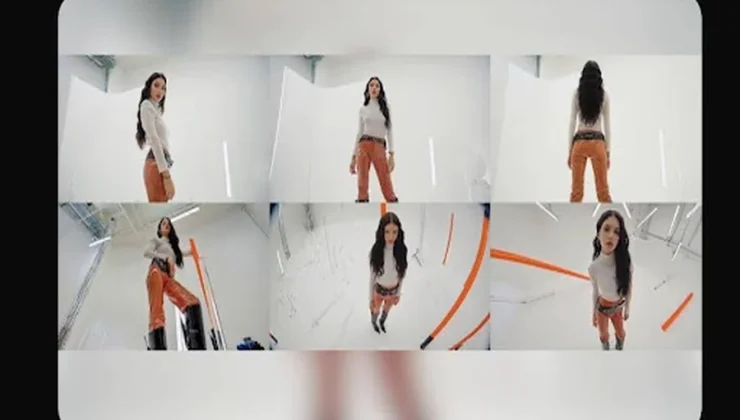
Choosing an AI video editor is no longer simply about finding software that saves time. The right platform should fit the way people think, create, and improve ideas. Some creators begin with a written concept, while others already have photos or video clips ready to edit. The best solution supports every stage of that process instead of focusing on only one task. Understanding what truly matters before making a choice leads to smoother projects, stronger creative results, and a workflow that continues to grow alongside your skills.
Focus on the Workflow Before the Feature List
Begin With Your Natural Creative Process
Every creator approaches a project differently. Some open a blank page and start writing ideas. Others collect inspiration, build storyboards, or organize product photos before touching any editing software. A good video editor should support those habits rather than forcing everyone into the same process. If you often start with text, look for prompt-based generation. If images inspire your ideas, image-to-video capability becomes more valuable. When existing footage forms the foundation of your work, intelligent editing tools become the priority. Choosing software that matches your creative rhythm reduces unnecessary effort and allows you to spend more time refining ideas instead of learning complicated workflows.
Integrated Tools Save More Time Than Individual Features
Many people compare editing software by counting available features, but workflow matters far more than numbers. Creating a modern video often includes generating scenes, modifying existing clips, creating narration, adjusting styles, and extending unfinished footage. Switching between multiple applications interrupts concentration and increases production time. A more efficient solution combines these creative steps into one connected environment. Kling AI follows this philosophy by allowing creators to generate videos from prompts, images, or references, edit footage with AI, create digital avatars, apply Lip Sync, and continue scenes through Video Extension. Rather than separating every task, the workflow stays connected from the first concept to the finished project.
Creative Control Should Never Disappear
Automation should simplify repetitive work without limiting creative decisions. Many creators worry that AI produces fixed results they cannot influence afterward. The opposite should be true. A capable ai video editor allows users to modify composition, replace subjects, rebuild backgrounds, adjust visual style, and experiment with different directions after the initial generation. Instead of accepting one automatic output, creators continue shaping the project until it matches their vision. This combination of efficiency and flexibility creates a far more rewarding editing experience than automation alone.
Look Beyond Today’s Project
Editing Power Matters After Generation
Generating a video is only the beginning. Professional-looking content usually comes from careful refinement rather than the first version. Look for editing tools that solve practical creative challenges instead of only producing new clips. For example, replacing distracting objects, changing weather conditions, updating clothing, modifying lighting, or moving a subject into a completely different setting should feel natural rather than complicated. Kling VIDEO 3.0 Omni supports these adjustments through simple prompts while preserving the motion and continuity of the original footage. That flexibility helps creators improve videos without rebuilding entire scenes from scratch.
Different Content Requires Different Capabilities
Content creators rarely produce only one type of video forever. Someone who begins with short social posts may later create product demonstrations, tutorials, explainers, marketing campaigns, or branded storytelling. Choosing software with room to grow prevents unnecessary platform changes later. Kling AI supports several creative workflows within the same ecosystem, including Text to Video, Image to Video, Digital Human creation, Restyle, and AI-powered editing. Because these capabilities work together, creators can gradually explore new formats without abandoning familiar tools or learning an entirely different production system each time their projects become more ambitious.
Consistency Creates Professional Results
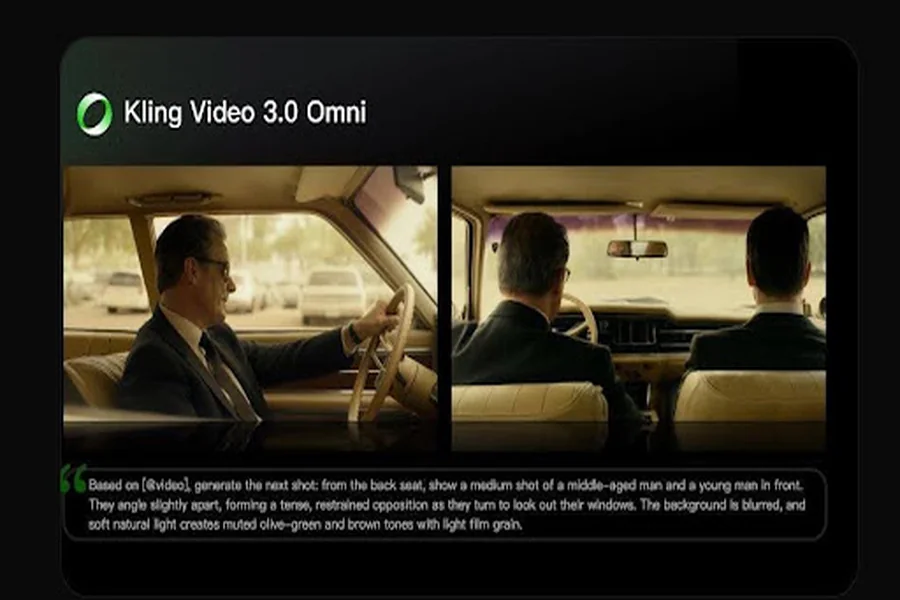
Viewers often notice consistency before they recognize technical perfection. Lighting, framing, subject appearance, and visual style should remain coherent throughout a project. When evaluating AI editing software, pay attention to how well it maintains continuity while still allowing creative adjustments. Reference images become especially valuable when products, faces, brand elements, or recurring characters must remain recognizable across multiple scenes. Kling AI allows creators to combine prompts with optional visual references, making it easier to preserve important details while continuing to experiment with different camera angles, environments, and artistic directions. This balance between consistency and creative freedom supports projects that feel polished from beginning to end.
Conclusion
Choosing the right AI video editor is ultimately about finding software that complements your creative process instead of changing it. A strong platform should simplify production, support different starting points, encourage experimentation, and provide editing flexibility long after the first draft is complete. Rather than focusing only on feature lists, evaluate how well the workflow fits the way you actually create. Kling AI demonstrates this approach by combining AI generation, intelligent editing, digital avatars, scene extension, and reference-guided refinement into one connected creative environment, allowing users to move naturally from an idea to a polished final video with confidence and control.