
The Hidden Cost of Physical Discomfort at Work
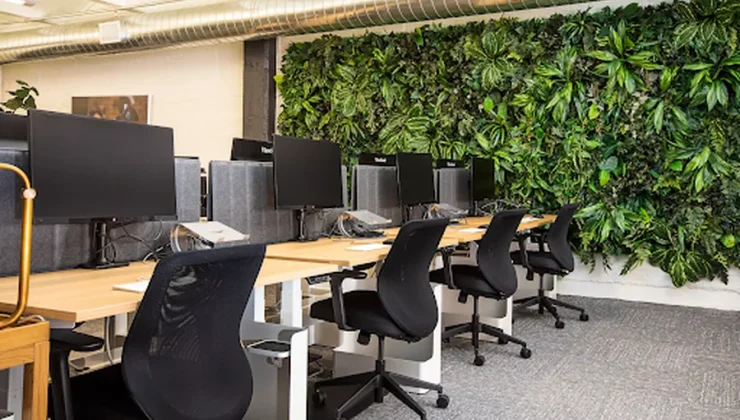
Physical discomfort can quietly drain a workplace’s time, focus and energy long before an employee reports an injury. A poorly positioned monitor, an unsupportive chair or hours spent repeating the same movement may seem like minor concerns at first. Over weeks or months, however, small aches can turn into frequent breaks, missed deadlines and absences. Employers who treat comfort as a practical workplace issue can protect employees while keeping everyday operations on track.
Lost Hours and Dropping Output
Discomfort rarely causes an immediate shutdown. More often, an employee starts shifting position, stretching sore wrists or leaving the desk to relieve back tension. Each interruption may take only a few minutes, but the lost time adds up across a team.
The hidden costs of workplace injuries can include disrupted schedules, overtime for other employees and time spent training temporary replacements. Work quality may also slip as discomfort makes sustained concentration harder. Managers should review patterns such as rising error rates, unfinished tasks and repeated short absences instead of waiting for a formal injury report.
Spotting Early Warning Signs
Encourage employees to report tingling, stiffness, numbness and recurring soreness as soon as symptoms appear. Other warning signs include rubbing the neck during calls, switching hands frequently or avoiding tasks that require extended typing.
Supervisors need a clear response process. A brief conversation should cover when symptoms occur, which tasks aggravate them and whether the workstation can be adjusted. Access to office ergonomics training can help employees and supervisors recognize risk factors and learn how to set up office workstations. Record the concern, make a prompt adjustment and check back within several days. Persistent or worsening symptoms should be referred to an appropriate health professional.
Invest in Proactive Education
Workplace education should happen before discomfort becomes widespread. Show employees how to position a monitor near eye level, keep commonly used items within easy reach and alternate between tasks when possible. New hires need this guidance during onboarding because they may accept the workstation exactly as they find it.
Training also helps people understand that repetitive strain can affect more than office staff. Information about the costs of repetitive strain shows how recurring motion affects workers in physically demanding settings too. Refresh the material after office moves, equipment changes or reports of similar symptoms across a department. Short demonstrations can make the guidance easier to remember.
Designing Sustainable Workspaces
Start with adjustability because one fixed setup won’t suit every employee. Chairs should support the lower back and allow users to place their feet flat on the floor or on a footrest. Screens should sit directly in front of the user, while keyboards and pointing devices should allow relaxed shoulders and neutral wrists.
Equipment alone can’t correct a workday built around long, uninterrupted periods in one position. Give employees reasonable opportunities to change posture and vary tasks. Hybrid employees should receive the same basic guidance for home setups, even if the organization doesn’t provide every item. Review workstations after staffing changes since shared desks often retain settings chosen for the previous user.
A sustainable ergonomics program becomes visible in ordinary routines: employees adjust shared chairs before starting, supervisors respond to early discomfort and teams reconsider tasks that cause recurring strain. Those small practices prevent a minor setup problem from becoming a lasting operational expense.