How to Use Background Remover Free on Mobile?
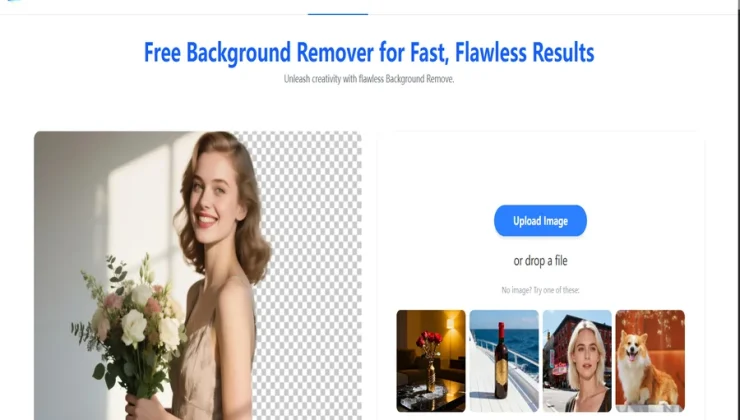
These days, most people edit photos directly on their phones—whether it’s for social media, online stores, school projects, or personal branding. One of the most common editing needs is removing the background from an image to make it clean, professional, and ready for use anywhere. The good news is that you can easily do this with a background remover free tool on mobile, without installing heavy apps or learning complex editing skills.
This article explains how to use a background remover on mobile, what features you should look for, and tips to get the cleanest result using your phone.
Why Use a Background Remover on Mobile?
Mobile background removal tools are fast, easy, and accessible. You can edit photos anytime—whether sitting in a car, working at home, or updating product listings on the go. A background remover free tool makes the process simple for both beginners and professionals.
Here’s why mobile background removers are popular:
- You don’t need a laptop
- Tools are automatic and AI-based
- You can edit multiple photos fast
- Perfect for ecommerce sellers
- Great for social media posts
- Works for selfies, portraits, and product shots
Because of these advantages, mobile users now prefer AI background removers over traditional desktop tools.
How Background Remover Tools Work on Mobile
Most mobile-friendly background removers use artificial intelligence to detect the main subject in an image. The AI identifies shapes, colors, and edges, then removes the background automatically while preserving the main object.
A good background remover free tool should detect:
- Face outlines
- Hair details
- Clothing edges
- Product shapes
- Hands and accessories
- Shadows and lighting
This makes mobile editing extremely easy—no need to manually erase anything.
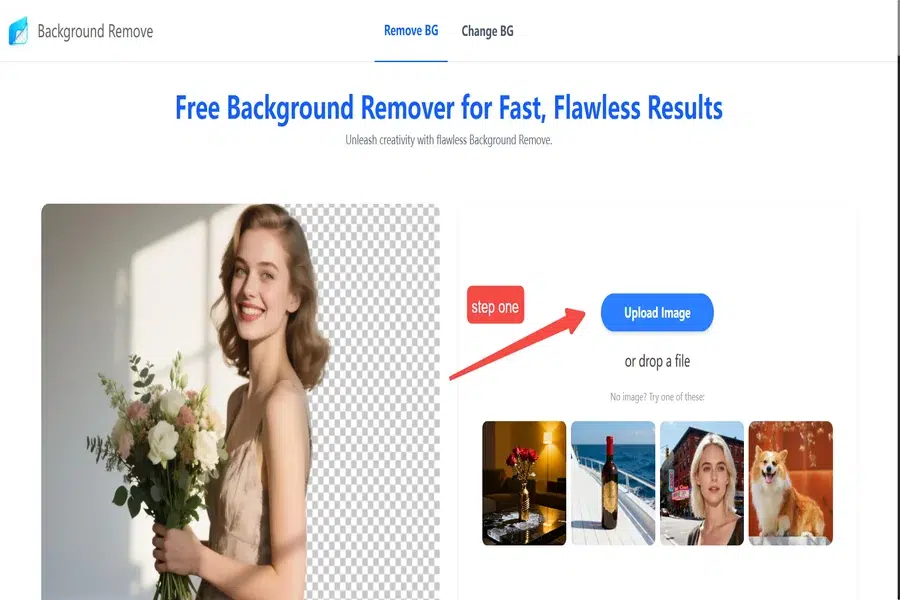
Step-by-Step Guide: How to Use Background Remover Free on Mobile
Whether you are using Android or iPhone, the process is almost the same. Here is a simple step-by-step guide that anyone can follow:
Step 1: Open Your Mobile Browser
You don’t always need to install an app. Most background remover free tools run smoothly on mobile browsers like:
- Chrome
- Safari
- Firefox
Open your preferred browser to get started.
Step 2: Upload Your Image
Once the tool opens, you will see an option such as:
- “Upload Image”
- “Select Photo”
- “Choose File”
Tap the button, and your phone will display options:
- Gallery
- Camera
- Files
Select the image you want to edit.
Step 3: Wait for the AI to Remove the Background
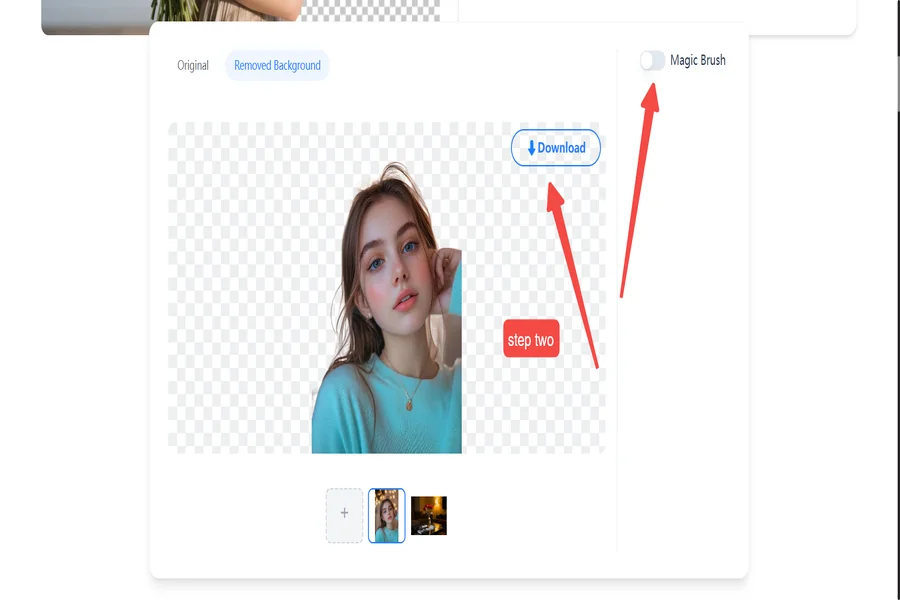
After uploading, the tool automatically processes your image. Within a few seconds, the background disappears, leaving a clean cutout of your main subject.
The AI will:
- Identify the object
- Remove the background
- Smooth the edges
- Preserve details like hair and clothes
No manual work is needed.
Step 4: Clean Up (Optional)
Some tools offer editing options such as:
- Erase extra parts
- Restore missing sections
- Add shadows
- Soften edges
- Adjust brightness
Using these tools can help make your final image even more professional.
Step 5: Save the Final Image
When you are satisfied with the cutout, tap:
- “Download”
- “Save Image”
- “Export”
The edited image will be saved directly to your mobile gallery.
You can now use it for:
- Online listings
- YouTube thumbnails
- Posters and banners
- Instagram posts
- Presentations
- Digital resumes
Tips to Get the Cleanest Cutout on Mobile
Even when using the best background remover free tool, a few simple tips can improve results:
1. Use a Clear and Bright Photo
Good lighting helps the AI detect edges better.
2. Avoid Busy Backgrounds
A simple background makes it easier for the tool to separate the subject from the surroundings.
3. Keep the Subject in the Center
Photos with centered subjects produce sharper cutouts.
4. Avoid Motion Blur
Blurry photos create soft edges that are harder for AI to detect.
5. Use the Cleanup Tools (If Available)
A quick touch-up can make the final result look even more professional.
Why Mobile Background Removers Are Reliable
Earlier, mobile editing tools were limited and unstable. But modern AI-powered background removers have improved significantly. Today, you can get:
- Clean edge detection
- High-quality results
- Fast processing
- Support for HD images
- Free access without apps
This makes mobile background removers perfect for everyday use, especially for people who need quick edits.
Conclusion
Using a background remover free tool on mobile is extremely easy and convenient. With just a few taps, you can upload a photo, remove the background automatically, make quick adjustments, and save a clean, professional-looking cutout. Whether you are creating online product listings or enhancing your social media feed, mobile background removal tools give you everything you need without installing heavy apps.