How to Choose an Office Chair for Back Pain Relief
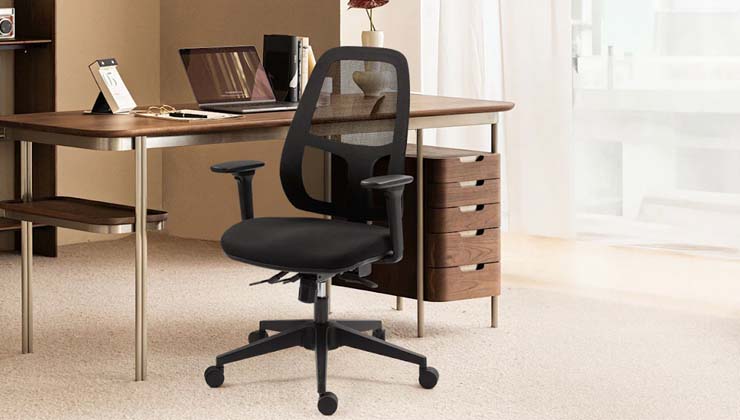
More and more people are aware of the importance of ergonomics, especially for those who spend long periods of time sitting at a desk. Maintaining a fixed posture for extended periods of time puts increased pressure on the spine. Therefore, adjustable office chairs have become a trend, and physical health should not be neglected.
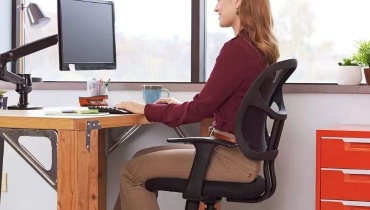
Office Chairs for Back Pain Features
1. Lumbar Support
For those who work more than six hours a day, this pain may be more pronounced. Long hours can cause lower back pain, making you feel exhausted and less inclined to move. However, an ergonomic chair with lumbar support can greatly improve your back pain.
There are many ergonomic office chair for back pain ways to provide lumbar support:
- Adjustable built-in lumbar support: This type is typically built into the chair and can be adjusted at any time.
- Fixed lumbar support: This type of support is designed to mimic the human spine and also provides support.
- Lumbar pillow: This type is removable and does not attach to the chair, simply resting behind the lower back.
2. High-Density Foam Cushion
There are three types of chair foam:
- Virgin foam: Environmentally friendly and hygienic, with a density typically above 45 kg/m³, it is commonly used in integrated footrests, backrests, and other components of chairs.
- Rebonded foam: This type of foam is recycled from industrial waste, but it’s not suitable for ergonomic chairs. Long-term use can cause odor and even contain harmful substances. It also doesn’t support the hips and tailbone.
- Cold-cure foam: Compared to non-cure foam, cold-cure foam has a higher density and resilience, is more durable, and provides better support for the hips and tailbone. However, cold-cure foam cushions are more expensive and require integral molding.
Ultimately, the type of chair cushion you choose should be determined based on your budget. Besides rebonded foam, cold-cure foam and virgin foam are both high-density foams and offer greater support. It is the best office chair for tailbone pain.
3. Seat Height
Everyone’s height and shoe height vary, so the required chair height may vary. In a standard sitting position, you should try to keep your feet flat on the floor and your knees at approximately a 90-degree angle.
An adjustable-height chair allows you to adjust the chair to a comfortable height based on your height, making it even more comfortable.

4. Adjustable Armrests
Armrests provide support for your arms, shoulders, and neck, reducing fatigue. Adjustable armrests are more adaptable to various sitting postures than fixed armrests.
Some chairs have adjustable armrests, and many offer adjustable direction. This allows you to adjust the armrests to the appropriate position for your preferred sitting position, helping to alleviate fatigue.
5. 360° Swiveling Casters
360° swivel casters ensure smooth movement around the office, making standing and sitting more convenient.
To minimize floor damage, we prefer casters with PU leather contact. If you have carpet, it’s best to use casters that are at least 6cm thick so they don’t dig into the carpet.
6. Reclining Backrest
Forward-Tilt Seat and Backrest
Sometimes, we unconsciously lean forward when sitting. In this case, if our back doesn’t align with the chair backrest and doesn’t support our backrest, we need an office chair with an adjustable backrest and seat cushion.
Note: Forward-tilting office chairs generally also have adjustable backward backrest and seat cushions.
Reclining Backrest and Seat
If you’re not used to leaning forward, look for office chairs with reclining backrests. Some office chairs combine leisure and work, with backrests that can recline up to 165°, such as the Master.
Straight Backrest
The most recognized correct sitting posture is that the back and the ischial tuberosity are in a straight line, which can better allow the ischial tuberosity to support the upper part. However, we cannot maintain this posture for a long time. Then an upright backrest support can effectively share the pressure on the back and waist.
Recommended Chairs
OP180
The OP180 is a chair with both a forward and backward tilt backrest and seat cushion, accommodating a variety of sitting postures. The chair’s height is also adjustable, suitable for those between 155 and 190 cm.
The armrests are adjustable in six directions, allowing you to focus on your work without worrying about your sitting posture.
EP460
The EP460 is a versatile office chair that combines work and leisure. It features a headrest for head support, a backrest that can recline up to 135°, and a footrest for reclining when you’re tired.
To help reduce fatigue while working, the EP460 features adjustable lumbar support and armrests. It is suitable for heights between 165 and 190 cm.
Standard Sitting Posture
- Feet flat on the floor.
- Knees at a 90-degree angle.
- Popillary fossa approximately 2 inches from the seat cushion.
- Back tilt between 90 – 110°.
- Elbows at a 90-110° angle.
- Focus on the center of the computer screen.
Tips for Reducing Office Fatigue
- 20-20-20: Look at something 20 feet away for 20 seconds every 20 minutes to reduce eye strain.
- Take a break: Walk around every hour to avoid fatigue from sitting for too long.
- Stay hydrated: Drink plenty of water.
- A bright environment: Whether you’re working in an office or at home, a bright workspace is essential for a comfortable work environment.
- An ergonomic workspace: An ergonomic chair, a standing desk, and a suitable keyboard and mouse will help you focus better.
Summary
For back support, an ergonomic office chair requires both quality materials and design. Boulies chairs come with a warranty of at least two years, ensuring peace of mind.