Don’t let a bad deal ruin the show – Run an IMEI check before you buy backstage tech
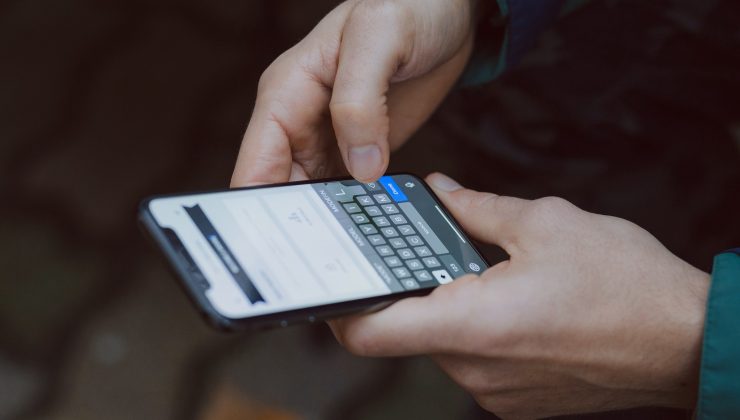
Anyone who’s spent time around live music – working merch, shooting behind-the-scenes content, managing a small band’s socials, or just following a scene closely enough to know half the crew by name – knows the phone is as much a piece of gear as anything else in the load-in. It’s the camera for the show, the group chat with the venue, the boarding pass for the next tour stop, and often the only backup of photos nobody thought to save anywhere else. When that phone needs replacing on a budget that’s already stretched thin by everything else touring or gigging costs, secondhand is usually the answer. It’s also where a two-minute check can save real money: verifying the phone’s IMEI before handing over cash.
The number every phone carries
Every device that connects to a mobile network has an IMEI – International Mobile Equipment Identity – a 15-digit number set into the hardware at the factory. It isn’t the SIM card and it isn’t tied to any account; it identifies the specific physical unit. The number breaks down into three parts: the first eight digits are a Type Allocation Code (TAC), assigned by the GSMA to identify the exact brand and model, the next six are a serial number unique to that device, and the final digit is a check digit that catches typing errors. Because it’s embedded during manufacturing, it can’t legitimately be changed – a mismatched or tampered IMEI is itself a sign something’s off.
Pulling it up takes seconds. Dial *#06# on nearly any phone and it appears on screen instantly, or check Settings > About Phone. It’s also printed on the SIM tray and the original box.
Why it matters when money’s already tight
Buying a phone off a marketplace listing, from someone in a tour Facebook group, or from a table at a swap meet skips the protections that come with buying from a carrier or retailer – no return window, no paper trail, nothing guaranteeing the phone is what it’s claimed to be. An IMEI check fills part of that gap by answering three specific questions:
Has it been reported lost or stolen? If so, its IMEI can be flagged in a shared blacklist database. In the US, participating carriers report into a common industry-wide system. Several other countries run similar centralized registries – India’s CEIR (Central Equipment Identity Register) is a documented example – and the GSMA maintains a broader international IMEI database that lets participating operators share reports across many countries. A blacklisted phone gets blocked from calls, texts, and mobile data on participating networks, no matter which SIM is inserted. It’ll often still connect to Wi-Fi, which is exactly why it can look completely fine during a quick check at a table or over video call, and only reveal the problem once it’s actually needed on the road with no reliable Wi-Fi around.
Is it locked to a specific carrier? A separate, less serious issue that doesn’t indicate theft, but is worth knowing about before a purchase, especially for anyone planning to switch carriers between tour legs or pick up a local SIM in a different region.
Is it still tied to a previous owner’s iCloud account? iPhones with Find My enabled stay locked to the original Apple ID even after a factory reset, unless the previous owner releases the device first. A used iPhone still in that state is essentially unusable to a new owner – not a small inconvenience, but a phone that can’t be set up as new at all.
The two-minute check
Running the check itself takes about as long as it does to load one more page of listings. Enter the 15-digit IMEI into a lookup tool such as imei.info and it returns the confirmed device model, blacklist status, and, for iPhones, activation lock status – typically within seconds, free, with no account required. For money that’s also supposed to stretch across gas, merch stock, and the next gig’s expenses, spending two minutes confirming a phone is clean before paying is a small step that protects a budget with very little room for a costly mistake.
A simple routine for buying gear secondhand
Ask for the IMEI before agreeing to meet or send payment – it’s not sensitive information the way a password would be, so a legitimate seller has no real reason to hold it back.
Ask for a quick video, or check in person, showing the phone powering on with Settings > About Phone visible, confirming the model matches what was advertised.
Run the IMEI check (https://www.imei.info/) before finalizing the deal, not after the money’s already sent.
Keep the IMEI and seller contact info on file after the purchase, in case something needs to be sorted out later.
Selling old gear to fund the upgrade
The same logic runs the other way when it’s time to sell an old phone to help cover a new one. On top of the usual steps – signing out of accounts, disabling Find My, doing a factory reset – it’s worth running an IMEI check on your own device before listing it for sale. If there’s an old insurance claim or unpaid balance still attached to the IMEI, it’s better to know and resolve that before a buyer’s own check comes back flagged and the sale falls apart.
Where this fits alongside the rest of the budget
Anyone tracking a tight monthly budget already knows the drill: rent, gas, gear maintenance, and whatever’s left over gets stretched across everything else. A device replacement is exactly the kind of unplanned expense that tempts a shortcut – the cheapest listing, the fastest deal, no questions asked – precisely because there’s no room to absorb a mistake. That’s the situation where a free verification step earns its place: it costs nothing, takes two minutes, and directly protects money that doesn’t have any slack in the surrounding budget to cover a phone that turns out to be unusable.
It’s also worth checking whether existing renters or personal property insurance covers phones at all, and under what conditions, before assuming a stolen or lost device is a covered loss – policies vary widely on this, and a device bought secondhand without documentation can complicate a claim regardless of what the IMEI check shows.
Frequently asked questions
Is the IMEI check actually free, or is there a catch? Basic lookups on tools such as imei.info – device model, blacklist status, and Apple activation lock status – don’t require payment or an account. There’s no catch to the core check itself.
Does a clean result guarantee the phone works perfectly? No. It confirms the device isn’t reported lost, stolen, or blacklisted, and shows lock status, but it doesn’t check battery health or physical condition – those still need a hands-on look, ideally before any money changes hands.
What if the seller says they lost the box and can’t provide the IMEI easily? The IMEI doesn’t require the box – it’s readable directly from the phone by dialing *#06# or checking Settings > About Phone. If a seller can’t or won’t do either while the phone is in hand, that’s worth treating as a reason to slow down.
The takeaway
Touring and gigging budgets don’t leave much room for a phone purchase to go wrong. An IMEI check doesn’t replace ordinary caution – checking the screen, testing the battery, confirming the seller’s story adds up – but it adds a concrete, verifiable answer that none of those steps can provide on their own. Two minutes with a free lookup tool before the money changes hands is a small habit that keeps a hard-earned budget from disappearing into a phone that turns out to be locked or blacklisted right when it’s needed most.