Topview: From an Idea to a Clip Without Six Open Tabs
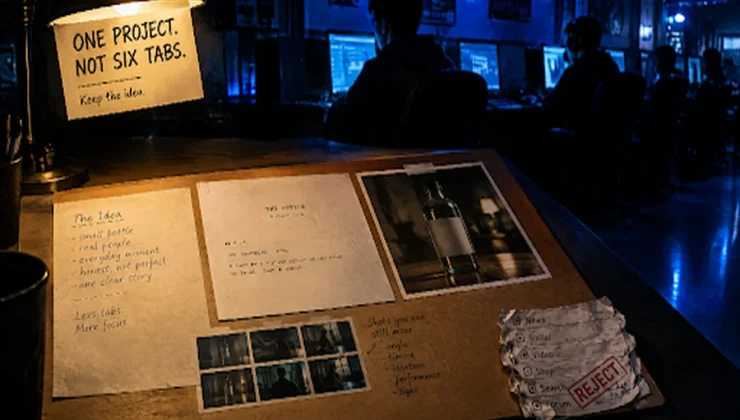
The usual AI-video afternoon looks like this. A text-to-video tab for the first try. A different image tool for the poster. A third site to restyle a clip that almost worked. A notes app for the script you already wrote. Downloads for the face that has to stay the same next week. None of those tools is mysterious anymore. The exhausting part is keeping the idea in one place long enough to finish it.
Topview is built as an AI video workspace for that mess. You describe an idea, paste a script, drop in a reference video, or start from a product URL. The agent helps plan scenes, pick models, and generate assets. The shots stay on a canvas you can still edit. It will not replace a crew you already booked. It will replace bouncing between six generators that do not share a folder.
That is a trend piece, not a magic trick. 2026 is full of single-purpose apps. The interesting shift is hubs that keep planning, stills, and motion in one project so a short film, a vertical drama beat, or a product clip can actually come back tomorrow.
A hub, not another isolated generator
Most tools make one asset at a time. You prompt, you download, you start over. Topview is closer to a small production surface: an agent for the brief, a canvas for the shots, a board for images, video, audio, and references, plus focused rooms when you need them.
Drama Studio is the room for micro-drama and short series — idea, outline, novel chapter, or script in; characters, locations, boards, then episode production. Image work can sit next to that, including OpenAI’s GPT Image 2.5 through the same hosted workspace when the still has to take a headline before anyone asks for motion. Video models, including Seedance 2.5, are for a timed take when the board is ready. Those are different jobs inside one account. They are not six new subscriptions with six new passwords.
You still review. Generated faces are not real testimonials. Type on a poster still has to be read. Credits are limited. If the brief is only “make it cinematic,” you will get a cinematic guess.
What you can actually start from
The useful inputs are ordinary. A sentence. A script. A still you already shot. A reference clip whose pacing you like. A public product page when the object on the page is the talent.
From there the workspace is supposed to propose scenes and keep them editable, not dump a finished movie you cannot open again. Canvas is the free-form view: shots, assets, variants. 3D shot composer exists if you want to block a camera before you spend a generate. Share a project if more than one person owns the brief.
That is slower than a one-click “viral short,” and more honest. A clip you cannot revise is a sample. A clip sitting next to last week’s stills is a project.

Short stories, shorts, and ads without mixing up the jobs
Internet video right now is mostly short. Reels, Shorts, a twenty-second product demo, a vertical scene with two people and a cliffhanger. Topview’s homepage leans on those: marketing video, film and drama, remaking a reference, social cuts, posters.
The mistake is treating all of that as one prompt. A micro-drama needs records — who is in the frame, which room, which beat — or episode two is a spin-off. A product clip needs the listing to survive the motion, or you animated a prettier bottle. A social cut needs a ratio you chose, or the caption falls off the edge.
Use the drama room when the story has to serialize. Use the canvas when you are assembling a short film or an ad from pieces. Use an image model when the still is wrong. Use a video model when the still is right and the take has to last a few seconds, not a blink. Seedance 2.5, on this stack, is a generate of about four to thirty seconds from text plus image, video, and audio references, typically 1080p-class rather than a 4K poster. Write the seconds if you care what happens in the middle.
Avatars and talking portraits exist in this category. They are a consent problem if the face was never yours. Topview is not interesting because it can make a photo speak. It is interesting if the project still knows the object and the scene after the chat ends.
Who this is for (and who should stay in a simple tab)
Aspiring creators, small shops, and marketers are the obvious audience — anyone who cannot staff a shoot every time the feed wants video. Educators making a diagram move. People adapting a chapter into a vertical scene for fun. Agencies that need one place for credits and files.
If you only needed to animate a vacation still into a three-second loop, a lightweight generator is enough. If you already live in a timeline and like it, keep the timeline. Topview is for the in-between: more than a toy, less than a truck.
What not to expect
It will not guarantee views. It will not post the file for you. It will not make a five-second morph hold a claim. Localization and captions help when you type and check them; they do not replace a speaker who has to say the line in public.
The digital landscape is noisy. Slow production is still expensive. The part worth copying from the “idea to video in minutes” pitch is the hub: one workspace, several engines, a folder that survives the afternoon. The part worth ignoring is the promise that minutes equal a hit.
If the next clip has to remember this one, start in Topview, keep the stills in the project, and watch the take before anyone hits publish.