Fotor AI Video Generator Review and Guide 2025
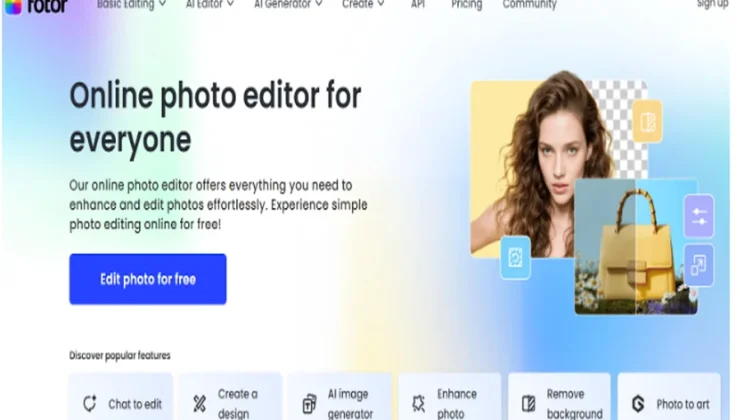
The AI video generator created by Fotor generates short prompts or images into platform-ready videos. It is targeted at creators, marketers, and small teams that wish to create polished video content in the quickest fashion possible, without an advanced understanding of technical skills. This paper describes the tool functionality, workflow, and applications, the third-party Fotor functions that enhance final output, tips on how to use it in practice to achieve better outcomes, and the pricing model of Fotor so that you can determine whether this tool is suitable. The article includes the direct link to try the tool: AI video generator.
What the Fotor AI video generator does
Fotor AI video generator is an app that takes text prompts and static images and creates very short videos with the help of a collection of visual styles and rendering settings. It simplifies the creation of content on social media (vertical TikTok / Reels, square Instagram, horizontal YouTube) and provides the option of controls on the pacing of a scene, visual effects, and quality of exported content. The interface is built in a manner that allows non-experts to create interesting visuals in a short amount of time, yet provides sufficient knobs to direct the creative process.
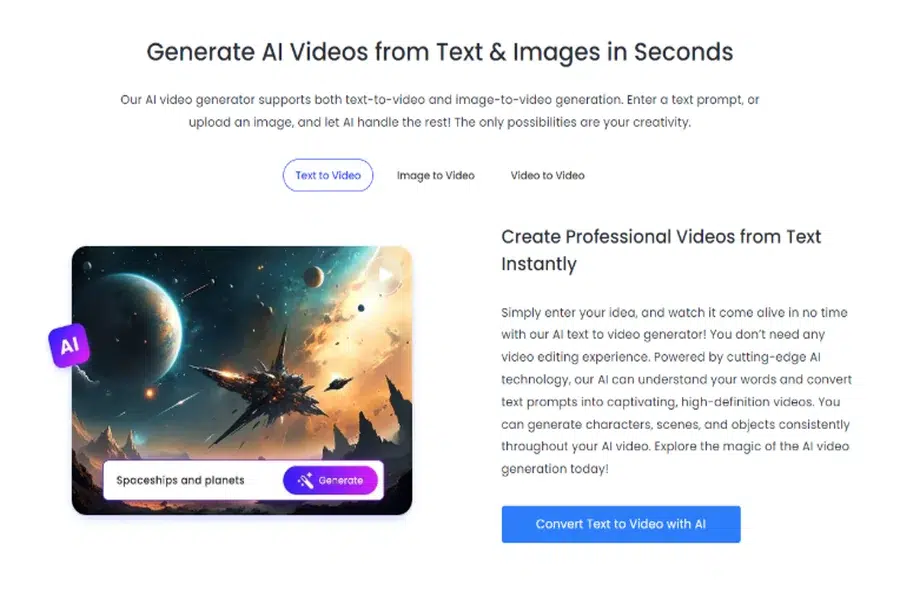
Core capabilities
- Text-to-video — write a concise prompt and Fotor stages scenes that match tone, setting, and visual style.
- Image-to-video — bring to life one or more of the uploaded photos, including camera movements, transitions, and effects.
- Style presets – select photorealistic, cinematic, anime, 3D, time-lapse, and other separate appearances.
- Platform-optimized exports: Export sizes and aspect ratios that are optimized for TikTok, Instagram, YouTube, and advertisements.
- Quick templates — trending templates and scene sequences to speed up ideation.
- No watermark HD exports — available on paid tiers for commercial use.
How it fits into a creative workflow
Fotor is not a generator in isolation: it is supposed to be a component of an overall single-app workflow, in which you ideate, generate, edit, and export. Common patterns of use are:
- Quick-cycle social posts: develop brief visual prototypes of ideas to test them out without spending resources on large-scale production.
- Content repurposing: use a snippet of the blog, quote, or product image as a brief promotion or teaser.
- Ad creatives: create a variety of style variations in a short time for A/B testing.
- Visual storytelling: design atmospheric shots of intros, outros, and brief stories.
Begin with a clear prompt and target aspect ratio. Repeat with various styles, and then edit with Fotor’s tools to make improvements to colour, timing, and audio.
Step-by-step: create an engaging AI video
- Define a tight concept
-
-
- Summarize the idea in one sentence, then expand into 2–4 short scene prompts focusing on setting, mood, and action.
-
- Select input and format
-
-
- Use a text prompt for conceptual videos or upload images you want animated. Choose vertical/square/horizontal depending on the platform.
-
- Pick a style and template
-
-
- Test 2–3 styles that fit your message (e.g., cinematic for brand storytelling, anime for playful content).
-
- Tweak scenes and timing
-
-
- Shorten or lengthen scenes to match voiceover or music. Adjust camera movement and transitions.
-
- Add audio and voice (if available)
-
-
- Sync a brief voiceover or licensed music to the pacing; consider captions for mute autoplay on social feeds.
-
- Export in the right resolution
-
- To use for promotional purposes, export HD without a watermark on paid plans, and retain a social-optimized copy in feeds.
Practical tips for better results
- Be detailed in prompts: mention lighting, camera angle, slow movement (e.g., sunset beach, soft golden light, slow dolly-in, nostalgic mood).
- Split complicated concepts into several short scenarios as opposed to a single lengthy prompt.
- Include brand assets by use of uploaded pictures, to maintain product images or logos.
- Use styles minimally: numerous changes in styles may create a disconnected video.
- Render short previews before final HD export to save time and credits.
- Add captions and a clear hook in the first 2–3 seconds for maximum social engagement.
Complementary Fotor features that improve output
Fotor’s AI video generator sits inside a suite of tools that let you refine and repurpose generated clips. Key complementary features include:
- Video enhancement and upscaling — increase resolution and reduce artifacts for sharper final exports.
- Editing toolkit — trim, merge, and rearrange clips; add overlays, animated text, and transitions.
- Background removal and replacement — remove unwanted backgrounds from images or video frames for cleaner composites.
- AI avatars and speaking characters — create talking avatars with lip-sync, useful for explainer or promotional videos.
- Templates and assets library — stock clips, music, and motion graphics to enrich generated content.
- Batch processing — apply the same enhancement or template across multiple videos for faster throughput.
These tools make it practical to turn a short generated sequence into polished content ready for paid campaigns or organic posting.
Use cases and audience fit
- Social creators: fast idea-to-post pipelines, especially for daily short-form content.
- Marketers and agencies: rapid ad creative testing across styles and formats.
- Small businesses: cheap promo videos on product pictures and short text.
- Instructors and trainers: brief illustrations and story passages.
- E-commerce: cartoon product demonstrations, unboxing, and brief advertisements.
Fotor is most advantageous when the speed and repetitions are more important than manual control by frame.
Pricing structure of Fotor
In general, Fotor has a free plan and a range of paid plans that allow expanding the limits, credits, and professional capabilities. The exact names and costs are related to the area and the moment at which he/she is going to be promoted; the overall trend is shown below, and the key differences that are to be remembered when thinking about the tool.
- Free Basic
- What is included: basic templates, watermarked results for some features, low-resolution results, and a restriction of AI generation and effects to daily or monthly use.
- Best suited: experimenting with interface and low-volume personal work.
- Fotor Pro (monthly or annual)
- What it has: better exports, downloads (without a watermark) on supported exports, an upgraded cap on the number of generations or a monthly quota, access to higher-quality templates, and certain advanced AI features (e.g., upscaling, background cuts).
- Best use: creators who frequently publish and require watermark-free content.
- Fotor Pro+
- What it entails: multi-seat access, collaborative folders, user management, priority support, and more credits or per-seat credits on AI video generations and avatars. Other options may consist of brand packages, commercial rights, and increased quotas.
- Best when: it needs several users, including those working in marketing teams, small businesses, and agencies.
- Enterprise / Custom plan
- What it includes: negotiated pricing, custom quotas, dedicated support, potential SLAs, and advanced admin controls.
- Best for: large organizations with high-volume or specialized needs.
- Add-ons and credits
- Many plans sell extra generation credits, longer export times, or premium assets as add-ons. Pay-as-you-go credits can be useful if your usage is spiky.
When choosing a plan, compare the number of generation credits or minutes, export resolution limits, watermark policy, and whether commercial use is included. If you mainly need occasional experimentation, the free tier or a monthly Pro plan may suffice. For ongoing content pipelines and client work, Pro+ or Enterprise options are worth considering.
Example prompt and result ideas
- Promotional teaser for a SaaS tool: “dark studio, blue neon accents, sleek product animation, 16:9, cinematic camera glide, upbeat motivational music.”
- Product showcase from image: upload the product photo and prompt “360 gentle pan, soft studio light, product detail close-ups, clean white background.”
- Short narrative microfilm: “rainy city alley, neon reflections, slow tracking shot, melancholic piano, anime style.”
Try several variants and keep the strongest 2–3 for final polishing.
Final thoughts
The AI video generator by Fotor is an effective tool that an artist can use to make short videos that are visually appealing and quick to make without the learning curve associated with traditional editing. It works well with the editing and enhancement features, but more importantly, with the avatars feature of Fotor, which makes the use of the product a one-stop solution in the idea-to-final export workflow. If you’re evaluating options, test the free tier to validate style and output, then scale with a paid plan that matches your monthly generation needs and commercial licensing requirements.